Buy a genuine Windows 11 licence at up to 40% off the official Microsoft price. Windows 11 Pro and Windows 11 Enterprise LTSC available with an original Product Key, one-time payment and lifetime guarantee. Also available in bundles with Office 2024, Office 2021 and Office 2019 at up to 30% off. Instant email delivery to the United Kingdom, Kenya, Nigeria, Indonesia, Malaysia and worldwide.
Instant email delivery One-time payment, yours forever Official invoice Lifetime guarantee
Registered European company · Legal under CJEU ruling C-128/11 · Select your currency at the top of the page: GBP, KES, NGN, IDR, MYR, USD and more.
Shopping from outside Europe? Select your currency at the top of the page (GBP, KES, NGN, IDR, MYR, USD and more) to see all prices converted to your local currency. Instant delivery to the United Kingdom, Kenya, Nigeria, Indonesia, Malaysia and worldwide.
All Windows 11 licences available
Original Microsoft Windows 11 licences with a genuine Product Key and up to 40% off the official price. One-time payment, no subscription, with a lifetime guarantee. Windows 11 Pro for personal and professional use, and Windows 11 Enterprise LTSC for business environments requiring maximum stability. Also available in bundles with Office at up to 30% off:
| Product |
Best for |
Discount |
|
| Windows 11 Pro |
Personal, professional and business use. Includes BitLocker, Remote Desktop and Hyper-V |
-40% |
See price |
| Windows 11 Enterprise 2024 LTSC |
Businesses and critical environments. No bloatware, security-only updates, support until 2034 |
Discounted |
See price |
| Windows 11 Enterprise IoT 2024 LTSC |
Industrial equipment, kiosks, IoT devices and embedded systems with extended support |
Discounted |
See price |
Windows 11 Pro + Office bundles — up to 30% off
Combine Windows 11 Pro with your preferred Office suite and save compared to buying separately. You receive two independent Product Keys (one for Windows, one for Office) in a single order:
| Bundle |
Includes |
Saving |
|
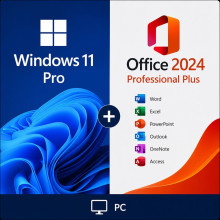
| Windows 11 Pro + Office 2024 Pro Plus |
Windows 11 + Word, Excel, PowerPoint, Outlook, Access, OneNote, Publisher |
-30% vs individual |
See price |
| Windows 11 Pro + Office 2021 Pro Plus |
Windows 11 + Word, Excel, PowerPoint, Outlook, Access, OneNote, Publisher (2021 edition) |
-30% vs individual |
See price |
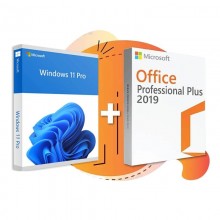
| Windows 11 Pro + Office 2019 Pro Plus |
Windows 11 + Word, Excel, PowerPoint, Outlook, Access, OneNote, Publisher (2019 edition) |
-30% vs individual |
See price |
Our recommendation: The
Windows 11 Pro + Office 2024 Pro Plus bundle is the most popular choice: a complete operating system + office suite with Word, Excel, PowerPoint and Outlook, all in one payment at 30% off. If you only need Windows,
Windows 11 Pro is the best value.
Windows 11 Pro vs. Windows 11 Enterprise LTSC: which do you need?
Windows 11 comes in two very different licence types depending on your use case. Here is a direct comparison:
| Feature |
Windows 11 Pro |
Windows 11 Enterprise LTSC |
| Feature updates |
Yes, yearly (new features + security) |
Security patches only. No interface changes |
| Microsoft support |
Until October 2027 (24 months of updates) |
Until 2034 (10 years of support) |
| Pre-installed apps |
Microsoft Store, Widgets, Teams, Copilot |
Minimal. No bloatware or ads |
| BitLocker |
✓ |
✓ |
| Remote Desktop |
✓ |
✓ |
| Hyper-V |
✓ |
✓ |
| Domain join and GPO |
✓ |
✓ |
| Price |
More affordable |
Higher (but 4x longer support) |
| Best for |
95% of users |
Businesses, kiosks, medical equipment, industry |
What does Windows 11 Pro include?
Windows 11 Pro is Microsoft’s most complete operating system for personal and professional use. It includes every Windows 11 Home feature plus advanced tools for businesses and power users:
| Feature |
What it does |
| BitLocker |
Full disk encryption. Protects your data if your device is lost or stolen |
| Remote Desktop |
Connect to your PC from anywhere as if you were sitting in front of it |
| Hyper-V |
Built-in virtualisation. Run virtual machines without third-party software |
| Domain join |
Connect the device to a corporate Active Directory domain |
| Group Policy (GPO) |
Centralised configuration management for IT administrators |
| Windows Sandbox |
Isolated environment to test applications without risk to the main system |
| Windows Information Protection |
Separation of personal and corporate data on the same device |
Windows 11 Pro vs. Windows 11 Home
Windows 11 Home is the basic edition pre-installed on most laptops. Windows 11 Pro includes every Home feature plus professional tools. The key differences:
| Feature |
Home |
Pro |
| BitLocker (disk encryption) |
× |
✓ |
| Remote Desktop (host) |
× |
✓ |
| Hyper-V (virtualisation) |
× |
✓ |
| Domain join |
× |
✓ |
| Windows Sandbox |
× |
✓ |
| Maximum RAM |
128 GB |
2 TB |
| Best for |
Basic home use |
Professionals, businesses, developers |
For the minimal price difference, Windows 11 Pro is always the smarter choice: it includes every Home feature plus professional tools like BitLocker, Remote Desktop and Hyper-V that you may need in the future.
System requirements for Windows 11
| Component |
Minimum requirement |
| Processor |
1 GHz or faster, 2 or more cores, 64-bit compatible |
| RAM |
4 GB minimum (8 GB recommended) |
| Storage |
64 GB of free space |
| TPM |
TPM version 2.0 |
| UEFI / Secure Boot |
UEFI firmware with Secure Boot support |
| Display |
720p, 9 inches or larger, 8 bits per colour channel |
Does your device not meet the TPM 2.0 requirement? Windows 10 Pro does not require TPM and will continue receiving security updates until October 2025. You can also check the Windows 11 Enterprise IoT LTSC edition, which relaxes certain hardware requirements.
How to buy, install and activate Windows 11
Step 1: Purchase and receive your Product Key
Choose your Windows 11 edition, select your currency at the top of the page and complete the payment. You will receive your original Microsoft Product Key by email within minutes. Payment methods available by country:
| Country |
Currency |
Payment methods |
| United Kingdom |
GBP £ |
Credit/debit card, PayPal |
| Kenya |
KES |
M-Pesa, Airtel Money, card |
| Nigeria |
NGN ₦ |
Bank transfer, card |
| Indonesia |
IDR Rp |
GoPay, OVO, DANA, bank transfer, card |
| Malaysia |
MYR RM |
FPX online banking, e-wallets, card |
| Other countries |
USD, EUR and more |
Credit/debit card, PayPal, local payment methods via dLocal |
Step 2: Download Windows 11 from Microsoft
Go to the official Microsoft download page (microsoft.com/software-download/windows11) and download the Media Creation Tool. You can create a bootable USB drive or download the ISO directly. The download is free from Microsoft’s servers.
Step 3: Install and activate with your Product Key
During installation (or afterwards, in Settings > System > Activation), enter your Product Key. Windows will activate online and instantly through Microsoft’s servers. If you already have Windows installed and want to upgrade from Home to Pro, you can do so by entering the Pro Product Key directly in Settings > Activation > Change product key.
Windows 11 for businesses and resellers
IT departments and system administrators: equip every workstation with Windows 11 Pro or Enterprise LTSC at up to 40% off. Official invoice included with every purchase, valid for compliance audits. Also available in bundles with Office to reduce total licensing cost per device.
Are you an IT company, computer shop or reseller? Our reseller programme offers up to
20% additional discount on Windows licences and
30% off Windows Server, SQL Server and RDS. Monthly purchases with invoice, fixed pricing and instant delivery. Available worldwide.
Apply to the reseller programme
Frequently asked questions
Is it legal to buy a cheap Windows 11 licence?
Yes. The Court of Justice of the European Union ruling C-128/11 (UsedSoft vs. Oracle, July 2012) establishes that reselling software licences is legal in the EU. We sell original Microsoft Product Keys that activate directly through Microsoft’s official servers. La Tienda de las Licencias is a registered European company that issues an official invoice and a lifetime guarantee with every purchase.
What is the difference between Windows 11 Home and Pro?
Windows 11 Pro includes every Home feature plus professional tools: BitLocker (disk encryption), Remote Desktop (host), Hyper-V (virtualisation), Active Directory domain join and Windows Sandbox. The price difference is minimal, so Windows 11 Pro is always the better choice.
Can I upgrade from Windows 11 Home to Pro with this Product Key?
Yes. If your device already has Windows 11 Home installed, you can upgrade to Pro without reinstalling. Go to Settings > System > Activation > Change product key and enter your Windows 11 Pro Product Key. Windows will download the additional Pro features automatically.
Does the Windows 11 licence expire?
No. Every Windows 11 licence we sell is perpetual. It activates permanently and has no expiry date or recurring payments. Once activated, Windows 11 remains fully functional on that device indefinitely.
Is my device compatible with Windows 11?
Windows 11 requires a compatible 64-bit processor, 4 GB of RAM, 64 GB of storage, TPM 2.0 and UEFI with Secure Boot. You can check using Microsoft’s free PC Health Check tool. If your device does not meet the TPM 2.0 requirement, Windows 10 Pro is an excellent alternative that does not require it.
What is Windows 11 Enterprise LTSC and who is it for?
LTSC stands for Long-Term Servicing Channel. It is a version of Windows 11 designed for business environments that need maximum stability: it only receives security patches (no feature updates), does not include unnecessary applications (no Microsoft Store, Teams, Widgets or Copilot) and has 10 years of Microsoft support. It is ideal for kiosks, medical equipment, industrial systems and any environment where unexpected operating system changes are a problem.
Do you deliver to Kenya, Nigeria, Indonesia, Malaysia and the United Kingdom?
Yes. There is no physical shipment because everything is 100% digital. You receive your Product Key by email within minutes, no matter where you are. Select your currency at the top of the page to see prices in your local currency. In Kenya you can pay with M-Pesa or Airtel Money (KES). In Nigeria with bank transfer or card (NGN). In Indonesia with GoPay, OVO, DANA or bank transfer (IDR). In Malaysia with FPX online banking or e-wallets (MYR). In the United Kingdom with credit/debit card or PayPal (GBP).
Can I use this licence if I format or change my device?
You can format and reinstall Windows on the same device without any issues: the licence is tied to the hardware and reactivates automatically. If you change devices (different motherboard), the licence is designed to activate on a single device. If needed, contact us and we will help you through the process.
Does Windows 11 Pro include Office?
No. Windows 11 is the operating system; Office (Word, Excel, PowerPoint…) is sold separately. However, you can save by purchasing the Windows 11 Pro + Office 2024 Pro Plus bundle at 30% off compared to buying individually.
Do you offer volume discounts or a reseller programme?
Yes. Our reseller programme offers up to 20% off Windows licences and 30% off Windows Server, SQL Server and RDS. Designed for IT companies, computer shops, independent technicians and resellers worldwide. Apply here.