
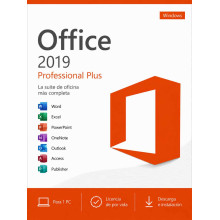
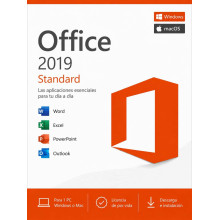
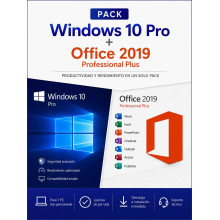
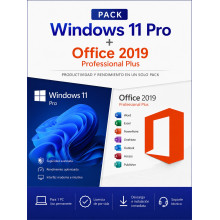
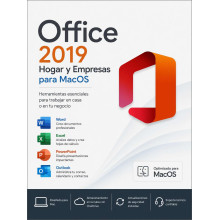
Buy your genuine Office 2019 licence at the lowest price: Word, Excel, PowerPoint and Outlook with an original Product Key, one-time payment and lifetime guarantee. The most affordable option for the full Microsoft office suite. Available in three editions: Professional Plus (Windows), Standard (Windows and macOS) and Home & Business for Mac. Also in bundles with Windows at 30% off.
Prefer active Microsoft support? Office 2021 Professional Plus has support until October 2026 and includes XLOOKUP and modern Excel functions. Office 2024 Professional Plus extends support to 2029.
Registered European company · 100% legal licence under CJEU ruling C-128/11 · Select your currency: GBP, KES, NGN, IDR, MYR, USD and more.
Paying from outside the UK? Select your local currency at checkout: Kenyan shillings (KES), Nigerian naira (NGN), Indonesian rupiah (IDR), Malaysian ringgit (MYR), US dollars (USD) and more. Instant email delivery worldwide.
Office 2019 is the most affordable option for getting Word, Excel, PowerPoint and Outlook with a perpetual Microsoft licence. It includes all the essential office features with a one-time payment and no subscription. Microsoft security support ended in October 2025, but the applications continue to work perfectly.
| Edition | Includes | Platform | |
|---|---|---|---|
| Office 2019 Professional Plus | Word, Excel, PowerPoint, Outlook, Access, Publisher, OneNote, Skype for Business | Windows | See price |
| Office 2019 Standard | Word, Excel, PowerPoint, Outlook, OneNote | Windows and macOS | See price |
| Office 2019 Home & Business for Mac | Word, Excel, PowerPoint, Outlook, OneNote | macOS | See price |
| Bundle | Includes | Discount | |
|---|---|---|---|
| Windows 11 Pro + Office 2019 Pro Plus | Current operating system + full office suite at the lowest price | -30% | See price |
| Windows 10 Pro + Office 2019 Pro Plus | Ideal for devices without TPM 2.0 + affordable full office suite | -30% | See price |
Microsoft ended support for Office 2019 on 14 October 2025. Here is what changed and what did not:
| What changed | What did NOT change |
|---|---|
| No more security patches | Word, Excel, PowerPoint and Outlook keep working perfectly |
| No more Microsoft technical support | All file formats (.docx, .xlsx, .pptx) remain fully compatible |
| Theoretical exposure to new vulnerabilities | The licence and activation remain permanently valid |
| Aspect | Professional Plus | Standard | Home & Business Mac |
|---|---|---|---|
| Word, Excel, PPT, Outlook | ✓ | ✓ | ✓ |
| OneNote | ✓ | ✓ | ✓ |
| Access (databases) | ✓ | ✗ | ✗ |
| Publisher (desktop publishing) | ✓ | ✗ | ✗ |
| Skype for Business | ✓ | ✗ | ✗ |
| Platform | Windows 10/11 | Windows and macOS | macOS |
| Best for | Windows: complete suite with Access and Publisher at the lowest price | Essential office apps on Windows or Mac at minimum cost | Mac users who need Office at a low cost |
| Aspect | Office 2019 | Office 2021 | Office 2024 |
|---|---|---|---|
| Microsoft support | Ended (Oct. 2025) | Until Oct. 2026 | Until Oct. 2029 |
| XLOOKUP in Excel | ✗ Not available | ✓ Included | ✓ Included |
| LET and LAMBDA in Excel | ✗ Not available | ✓ Included | ✓ Included |
| Morph in PowerPoint | ✓ Included | ✓ Improved | ✓ Improved |
| Interface | Classic | Refined classic | Refreshed Fluent Design |
| Price | Lowest | Mid-range | Highest |
| Best for | Tightest budget, core office apps without XLOOKUP | Best balance of price and features with active support | Maximum support (2029) and latest features |
| Aspect | Office 2019 | Microsoft 365 |
|---|---|---|
| Payment model | One-time payment, yours forever | Annual subscription |
| Updates | Fixed version (2019), no future patches | Always the latest version |
| OneDrive | Not included | 1 TB included |
| Copilot (AI) | ✗ Not included | ✓ Included |
| If you stop paying | Keeps working forever | You lose access to the apps |
| Total cost | Lowest possible (single payment) | Annual payments accumulated |
| Application | What it does |
|---|---|
| Word 2019 | Word processor with Focus Mode, learning tools and built-in translation |
| Excel 2019 | Spreadsheets with new chart types (funnel, map), IFS and SWITCH formulae, and improved PivotTables |
| PowerPoint 2019 | Presentations with Morph transition, Summary Zoom, SVG icons and 3D models |
| Outlook 2019 | Email, calendar and contacts with Focused Inbox, @mentions and Office 365 Groups |
| Access 2019 | Relational databases with new charts and Large Number data type support. Pro Plus only |
| Publisher 2019 | Desktop publishing and design: brochures, catalogues, newsletters, business cards. Pro Plus only |
| OneNote 2019 | Digital notes organised in notebooks and sections with handwriting recognition |
| Skype for Business | Video conferencing, messaging and screen sharing for business environments. Pro Plus only |
| Component | Minimum requirement |
|---|---|
| Operating system | Windows 10 or Windows 11 (also works on Windows 8.1) |
| Processor | 1.6 GHz or faster, dual-core |
| RAM | 4 GB |
| Disk space | 4 GB available |
| Display | Minimum resolution 1024 × 768 |
For Mac: Office 2019 Home & Business requires macOS Sierra (10.12) or later. Compatible with Intel and Apple Silicon processors (M1, M2, M3, M4) via Rosetta 2.
| Step | Action |
|---|---|
| 1. Purchase and receive your Product Key | After completing payment, you will receive your Office 2019 activation key by email along with detailed instructions and a download link. Delivery is instant and automatic |
| 2. Download and install | Download the official installer from the link provided. Full installation takes approximately 10–15 minutes on a device with a standard connection |
| 3. Activate with your Product Key | Open any Office application, enter your product key when prompted and activation completes online in seconds. Lifetime licence, no renewal needed |
Payment methods available: Credit/debit card and PayPal (UK and worldwide) · M-Pesa and Airtel Money (Kenya) · Bank transfer and cards (Nigeria) · GoPay, OVO, DANA and bank transfer (Indonesia) · FPX and cards (Malaysia) · All major international cards via dLocal Go.
Yes. Office 2019 works exactly as it did before end of support. Word, Excel, PowerPoint and Outlook do not deactivate, do not lose features and do not stop opening files. The only change is that Microsoft no longer publishes security patches. Millions of users and businesses worldwide continue to use Office 2019 in 2026.
Yes, it is 100% legal. We sell genuine Microsoft licences under the Court of Justice of the EU ruling (case C-128/11, UsedSoft v Oracle), which establishes that reselling software licences within the European Union is lawful. You receive an official Microsoft Product Key. We are a registered European company and issue an official invoice.
Yes, there are two options for Mac: Office 2019 Standard (compatible with Windows and macOS) and Office 2019 Home & Business for Mac (macOS-specific). Both require macOS Sierra (10.12) or later and are compatible with Intel and Apple Silicon processors (M1, M2, M3, M4) via Rosetta 2. The Professional Plus edition is Windows-only.
No. XLOOKUP was introduced with Office 2021 and is not available in Office 2019. Office 2019 includes VLOOKUP and HLOOKUP, which cover the majority of lookup needs. If XLOOKUP, LET or LAMBDA are important for your Excel work, we recommend Office 2021 Professional Plus or Office 2024.
Yes. All Office versions since 2007 share the same file formats (.docx, .xlsx, .pptx). A document created in Office 2024 opens without issues in Office 2019 and vice versa. The only limitation is that functions exclusive to later versions (such as XLOOKUP) will show a formula error, but the file opens and can be edited normally.
It is a one-time payment. You buy once and the licence is yours forever. There is no subscription, no renewal and no annual payments. Office 2019 continues working indefinitely after activation.
Yes. You can reinstall Office 2019 with the same product key after formatting. If you change devices, you can transfer the licence to the new PC. The licence is for 1 device at a time but is reusable. If you need help with the transfer, our support team assists you free of charge.
Yes. We deliver digital licences worldwide by email. For Kenya we accept M-Pesa and Airtel Money, for Nigeria bank transfer and local cards, for Indonesia GoPay, OVO, DANA and bank transfer, and for Malaysia FPX and local cards — all through our secure dLocal Go payment platform. Payment is in your local currency (KES, NGN, IDR, MYR). Delivery is instant. The licence works globally with no geographical restrictions.
Office 2019 is worth it if price is your absolute priority and you do not need advanced Excel functions like XLOOKUP. It is the cheapest version of Office that still works perfectly on Windows 10 and 11. If you can invest a little more, Office 2021 offers modern Excel functions with support until 2026 at a mid-range price. And Office 2024 extends support to 2029 with the most current interface.
