
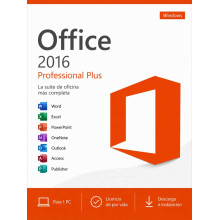
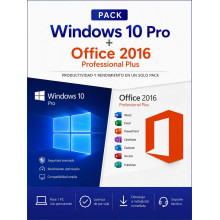
Buy your genuine Office 2016 Professional Plus licence with an original Product Key, one-time payment and lifetime guarantee. Office 2016 Pro Plus includes Word, Excel, PowerPoint, Outlook, Access and Publisher for 1 Windows PC. Ideal if you need a complete, stable office suite without a monthly subscription for devices that don’t need the latest features. Also available in a bundle with Windows 10 Pro at 30% off.
Looking for the latest version? Office 2024 Professional Plus includes the same applications with a refreshed interface, better performance and AI-ready features. Also available with a one-time payment and no subscription.
Registered European company · 100% legal licence under CJEU ruling C-128/11 · Select your currency: GBP, KES, NGN, IDR, MYR, USD and more.
Paying from outside the UK? Select your local currency at checkout: Kenyan shillings (KES), Nigerian naira (NGN), Indonesian rupiah (IDR), Malaysian ringgit (MYR), US dollars (USD) and more. Instant email delivery worldwide.
| Product | Applications included | Type | |
|---|---|---|---|
| Office 2016 Professional Plus | Word, Excel, PowerPoint, Outlook, Access, Publisher, OneNote, Skype for Business | Individual licence | See price |
| Bundle | Includes | Discount | |
|---|---|---|---|
| Windows 10 Pro + Office 2016 Pro Plus | Operating system + full office suite for 1 PC | -30% vs individual | See price |
Office 2016 Professional Plus is the most complete edition of the Office 2016 suite from Microsoft. It includes all productivity applications in a single licence with a one-time payment and no monthly subscription:
| Application | What it does |
|---|---|
| Word 2016 | Word processor. Documents, reports, letters, CVs |
| Excel 2016 | Spreadsheets. Accounting, budgets, data analysis, pivot tables |
| PowerPoint 2016 | Presentations. Professional slides, animations, templates |
| Outlook 2016 | Email client and calendar. Compatible with Exchange, Gmail, IMAP |
| Access 2016 | Databases. Create and manage databases without programming knowledge |
| Publisher 2016 | Desktop publishing. Brochures, cards, newsletters, posters |
| OneNote 2016 | Digital notes. Organise notes, web clippings, to-do lists |
| Skype for Business 2016 | Communications. Instant messaging, video calls, screen sharing |
Not sure which Office version to choose? This comparison helps you decide. All are perpetual licences with a one-time payment (no monthly subscription):
| Aspect | Office 2016 | Office 2019 | Office 2021 | Office 2024 |
|---|---|---|---|---|
| Core apps | Word, Excel, PPT, Outlook | Word, Excel, PPT, Outlook | Word, Excel, PPT, Outlook | Word, Excel, PPT, Outlook |
| Access + Publisher | ✓ (Pro Plus) | ✓ (Pro Plus) | ✓ (Pro Plus) | ✓ (Pro Plus) |
| Microsoft support | Ended (Oct. 2025) | Until Oct. 2025 | Until Oct. 2026 | Until Oct. 2029 |
| Windows compatibility | Windows 7, 8, 10, 11 | Windows 10, 11 | Windows 10, 11 | Windows 10, 11 |
| Interface | Classic (Ribbon 2016) | Simplified Ribbon | Refreshed + dark mode | Fluent Design + AI-ready |
| Key features | Tell Me, Smart Lookup, basic co-authoring | Morph, Focus Mode, new chart types | XLOOKUP, slide recording, improved co-authoring | XLOOKUP, IMAGE(), Copilot-ready, Apple Silicon |
| Best for | Tightest budget or older devices | Good value for money | Professional use with modern features | Latest version, longest support |
| Price | Lowest | Low | Mid-range | Mid-range |
Office 2016 Professional Plus is the ideal choice in these situations:
| User profile | Why Office 2016 |
|---|---|
| Very tight budget | The most affordable perpetual Office licence in our catalogue. One-time payment, no subscription |
| Older devices (Windows 7 or 8) | Office 2016 is compatible with Windows 7, 8 and 10 — something newer versions do not offer. Ideal if your device cannot run Windows 10 or 11 |
| Basic office tasks | If you only need to create documents in Word, spreadsheets in Excel and presentations in PowerPoint, Office 2016 covers all those needs |
| Equipping multiple PCs at low cost | If you need to install Office on several devices (classroom, office, internet café), the lowest cost per licence maximises your investment |
| Students and education | Full suite with Word, Excel and PowerPoint for academic work at the lowest possible price |
| Aspect | Office 2016 Pro Plus | Microsoft 365 |
|---|---|---|
| Payment model | One-time payment, yours forever | Monthly or annual subscription |
| Updates | Fixed version (2016), security patches | Always the latest version |
| Cloud storage | Not included | 1 TB OneDrive |
| If you stop paying | Keeps working forever | You lose access to the apps |
| Cost over 3 years | Much cheaper (one payment) | 3 years × annual fee = high cost |
| Best for | Those who want to pay once and be done | Those who need cloud, collaboration and always the latest version |
| Component | Minimum requirement |
|---|---|
| Operating system | Windows 7 SP1, Windows 8, Windows 8.1, Windows 10 or Windows 11 |
| Processor | 1 GHz or faster |
| RAM | 2 GB (32-bit) / 4 GB (64-bit) |
| Disk space | 3 GB free space |
| Display | Minimum resolution 1024 × 768 |
Note: Office 2016 is the last version of Office compatible with Windows 7. If your device can only run Windows 7 or 8 and you need a full office suite, this is your only perpetual Office option.
| Step | Action |
|---|---|
| 1. Purchase and receive your licence | After completing payment, you will receive your Office 2016 Pro Plus Product Key by email along with the download link and detailed installation instructions. Delivery is instant and automatic |
| 2. Download and install | Use the download link provided to get the official Microsoft installer. Run the installer and follow the on-screen steps. Installation takes approximately 10–15 minutes |
| 3. Activate with your Product Key | Open any Office application (Word, Excel…), go to File → Account → Change Product Key and enter your 25-character Product Key. Activation is instant |
Payment methods available: Credit/debit card and PayPal (UK and worldwide) · M-Pesa and Airtel Money (Kenya) · Bank transfer and cards (Nigeria) · GoPay, OVO, DANA and bank transfer (Indonesia) · FPX and cards (Malaysia) · All major international cards via dLocal Go.
Yes. Office 2016 works perfectly in 2026 and will continue to work indefinitely. The end of Microsoft’s extended support (October 2025) means it no longer receives new security updates, but the applications remain installed, operational and useful for daily tasks. Your documents, spreadsheets and presentations open and edit without issues.
Yes, it is 100% legal. We sell genuine Microsoft licences under the Court of Justice of the EU ruling (case C-128/11, UsedSoft v Oracle), which establishes that reselling software licences within the European Union is lawful. The licence you receive is an official Microsoft Product Key valid for activation. We are a registered European company and issue an official invoice.
Yes. Office 2016 Professional Plus installs and runs correctly on Windows 11, Windows 10, Windows 8 and Windows 7 SP1. It is the version of perpetual Office with the broadest operating system compatibility.
Office 2016 Standard includes Word, Excel, PowerPoint, Outlook and OneNote. The Professional Plus edition adds Access (databases), Publisher (desktop publishing) and Skype for Business (communications). We sell the Professional Plus edition because it includes all applications for a minimal price difference.
Yes. Microsoft Office file formats (.docx, .xlsx, .pptx) are compatible across all versions since Office 2007. A document created in Office 2024 opens without issues in Office 2016 and vice versa. Some features specific to newer versions (such as certain Excel chart types) may not display identically, but all content is fully preserved.
One-time payment. Unlike Microsoft 365, Office 2016 Professional Plus is a perpetual licence. You pay once and use it forever. There is no monthly or annual subscription. If you stop paying, the applications keep working because they already belong to you.
Yes. If you format your device, you can reinstall Office 2016 and activate it with the same Product Key. If you change devices, you can deactivate the licence on the previous PC and install it on the new one. The licence is for 1 PC at a time, but you can move it between devices. If you need help with the process, our support team assists you free of charge.
Yes. We deliver digital licences worldwide by email. For Kenya we accept M-Pesa and Airtel Money, for Nigeria bank transfer and local cards, for Indonesia GoPay, OVO, DANA and bank transfer, and for Malaysia FPX and local cards — all through our secure dLocal Go payment platform. Payment is in your local currency (KES, NGN, IDR, MYR). Delivery is instant.
It depends on your needs. Office 2016 is the most affordable option and works perfectly for everyday tasks. It is the only version compatible with Windows 7. Office 2024 offers a modern interface, new Excel functions (XLOOKUP, IMAGE), Microsoft support until 2029 and is AI-ready. If your device runs Windows 10 or 11 and you can invest a little more, Office 2024 has a longer lifespan.
