


 WINDOWS
 Office
 Windows Server
 Antivirus
 Utilities
 Professional Software
 PACKS
PACKS
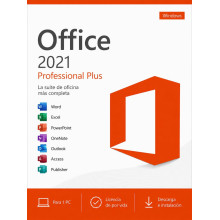
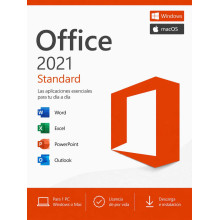
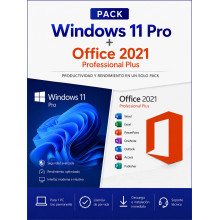
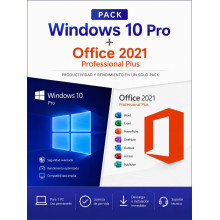
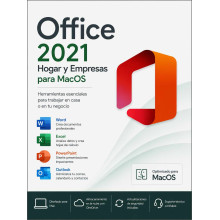
Buy your genuine Office 2021 licence at a discount: Word, Excel, PowerPoint, Outlook and more with an original Product Key, one-time payment and lifetime guarantee. Available in three editions: Professional Plus (the most complete for Windows), Standard (Windows and macOS) and Home & Business for Mac. Also in bundles with Windows at 30% off. Microsoft support active until October 2026.
Want support until 2029 and the most modern interface? Office 2024 Professional Plus is the latest version with a refreshed design, new Excel functions and security support until October 2029.
Registered European company · 100% legal licence under CJEU ruling C-128/11 · Select your currency: GBP, KES, NGN, IDR, MYR, USD and more.
Paying from outside the UK? Select your local currency at checkout: Kenyan shillings (KES), Nigerian naira (NGN), Indonesian rupiah (IDR), Malaysian ringgit (MYR), US dollars (USD) and more. Instant email delivery worldwide.
Office 2021 is the second-latest perpetual version of Microsoft Office. It includes Word, Excel, PowerPoint and Outlook with a one-time payment licence (no subscription) and active Microsoft security support until October 2026. Available in three editions:
| Edition | Includes | Platform | |
|---|---|---|---|
| Office 2021 Professional Plus | Word, Excel, PowerPoint, Outlook, Access, Publisher, OneNote, Skype for Business | Windows | See price |
| Office 2021 Standard | Word, Excel, PowerPoint, Outlook, OneNote | Windows and macOS | See price |
| Office 2021 Home & Business for Mac | Word, Excel, PowerPoint, Outlook, OneNote, Teams | macOS | See price |
| Bundle | Includes | Discount | |
|---|---|---|---|
| Windows 11 Pro + Office 2021 Pro Plus | Current operating system + full office suite | -30% | See price |
| Windows 10 Pro + Office 2021 Pro Plus | Ideal for devices without TPM 2.0 + full office suite | -30% | See price |
| Aspect | Professional Plus | Standard | Home & Business Mac |
|---|---|---|---|
| Word, Excel, PPT, Outlook | ✓ | ✓ | ✓ |
| OneNote | ✓ | ✓ | ✓ |
| Access (databases) | ✓ | ✗ | ✗ |
| Publisher (desktop publishing) | ✓ | ✗ | ✗ |
| Skype for Business | ✓ | ✗ | ✗ |
| Microsoft Teams | ✗ | ✗ | ✓ |
| Platform | Windows 10/11 | Windows and macOS | macOS |
| Best for | Windows PC: the most complete suite with Access and Publisher | Core office apps on Windows or Mac at a lower price | Mac users who need Office with Teams included |
| Aspect | Office 2019 | Office 2021 | Office 2024 |
|---|---|---|---|
| Microsoft support | Ended (Oct. 2025) | Until Oct. 2026 | Until Oct. 2029 |
| Core apps | Word, Excel, PPT, Outlook | Word, Excel, PPT, Outlook | Word, Excel, PPT, Outlook |
| Key features | Morph in PPT, new Excel charts | XLOOKUP, LET, LAMBDA in Excel, improved co-authoring | IMAGE(), advanced TEXTJOIN, refreshed Fluent Design interface |
| Mac version | ✓ | ✓ Standard + Home & Business | ✓ (separately) |
| Windows compatible | Windows 10 and 11 | Windows 10 and 11 | Windows 10 and 11 |
| Price | Lowest | Mid-range | Highest |
| Best for | Tightest budget | Best value for money with active support | Maximum support and latest features |
| Aspect | Office 2021 | Microsoft 365 |
|---|---|---|
| Payment model | One-time payment, yours forever | Annual subscription |
| Updates | Fixed version (2021), security patches until Oct. 2026 | Always the latest version |
| OneDrive | Not included | 1 TB included |
| Copilot (AI) | ✗ Not included | ✓ Included |
| If you stop paying | Keeps working forever | You lose access to the apps |
| Cost over 3 years | Much lower (one-time payment) | 3 annual payments accumulated |
| Application | What it does |
|---|---|
| Word 2021 | Word processor with real-time co-authoring, voice dictation and built-in translation |
| Excel 2021 | Spreadsheets with XLOOKUP, LET, LAMBDA and new data types. A major improvement over Excel 2019 |
| PowerPoint 2021 | Presentations with narrator recording, Ink Replay and improved Morph transition |
| Outlook 2021 | Email, calendar and contacts with improved search and instant translation |
| Access 2021 | Relational databases. Ideal for inventories, CRMs and internal applications. Pro Plus only |
| Publisher 2021 | Desktop publishing and design: brochures, catalogues, newsletters, business cards. Pro Plus only |
| OneNote 2021 | Digital notes organised in notebooks and sections |
| Skype for Business | Video conferencing and business messaging. Pro Plus only |
| Component | Minimum requirement |
|---|---|
| Operating system | Windows 10 or Windows 11 (not compatible with Windows 7 or 8) |
| Processor | 1.6 GHz or faster, dual-core |
| RAM | 4 GB |
| Disk space | 4 GB available |
| Display | Minimum resolution 1024 × 768 |
For Mac: Office 2021 Home & Business requires macOS Catalina (10.15) or later. Compatible with Intel and Apple Silicon processors (M1, M2, M3, M4).
| Step | Action |
|---|---|
| 1. Purchase and receive your Product Key | After completing payment, you will receive your Office 2021 activation key by email along with detailed instructions and a download link. Delivery is instant and automatic |
| 2. Download and install | Download the official installer from the link provided. Full installation takes approximately 10–15 minutes on a device with a standard connection |
| 3. Activate with your Product Key | Open any Office application, enter your product key when prompted and activation completes online in seconds. Lifetime licence, no renewal needed |
Payment methods available: Credit/debit card and PayPal (UK and worldwide) · M-Pesa and Airtel Money (Kenya) · Bank transfer and cards (Nigeria) · GoPay, OVO, DANA and bank transfer (Indonesia) · FPX and cards (Malaysia) · All major international cards via dLocal Go.
Yes, until October 2026. Microsoft provides monthly security patches for Office 2021 until that date. After end of support, the applications will continue working perfectly but will no longer receive new security patches. It is exactly the same model as Office 2019 and previous versions.
Yes, it is 100% legal. We sell genuine Microsoft licences under the Court of Justice of the EU ruling (case C-128/11, UsedSoft v Oracle), which establishes that reselling software licences within the European Union is lawful. You receive an official Microsoft Product Key. We are a registered European company and issue an official invoice.
Yes, there are two options for Mac: Office 2021 Standard (compatible with Windows and macOS) and Office 2021 Home & Business for Mac (macOS-specific, includes Teams). Both are compatible with Intel and Apple Silicon processors (M1, M2, M3, M4) and require macOS Catalina (10.15) or later. The Professional Plus edition is Windows-only.
Both include Word, Excel, PowerPoint, Outlook and OneNote. The Professional Plus edition adds three extra applications: Access (databases), Publisher (desktop publishing) and Skype for Business (business video calls). Standard is compatible with Windows and macOS; Professional Plus is Windows-exclusive.
Yes. All Office versions since 2007 share the same file formats (.docx, .xlsx, .pptx). A document created in Office 2024 opens without issues in Office 2021 and vice versa. The only difference is that some very recent Excel 2024 functions may not be available, but the file opens and can be edited normally.
It is a one-time payment. You buy once and the licence is yours forever. There is no subscription, no renewal and no annual payments. Office 2021 continues working indefinitely after activation, even after end of support in October 2026.
Yes. You can reinstall Office 2021 with the same product key after formatting. If you change devices, you can transfer the licence to the new PC. The licence is for 1 device at a time but is reusable. If you need help with the transfer, our support team assists you free of charge.
Yes. We deliver digital licences worldwide by email. For Kenya we accept M-Pesa and Airtel Money, for Nigeria bank transfer and local cards, for Indonesia GoPay, OVO, DANA and bank transfer, and for Malaysia FPX and local cards — all through our secure dLocal Go payment platform. Payment is in your local currency (KES, NGN, IDR, MYR). Delivery is instant. The licence works globally with no geographical restrictions.
Office 2021 is the ideal choice if you are looking for the best value for money: it includes XLOOKUP and the modern Excel functions, works perfectly on Windows 10 and 11, and costs less than Office 2024. Its support ends in October 2026. Office 2024 Professional Plus is better if you need security support until 2029, the most modern interface with Fluent Design and the latest Excel functions such as IMAGE() and advanced TEXTJOIN.
