

 WINDOWS
 Office
 Windows Server
 Antivirus
 Utilities
 Professional Software
 PACKS
PACKS
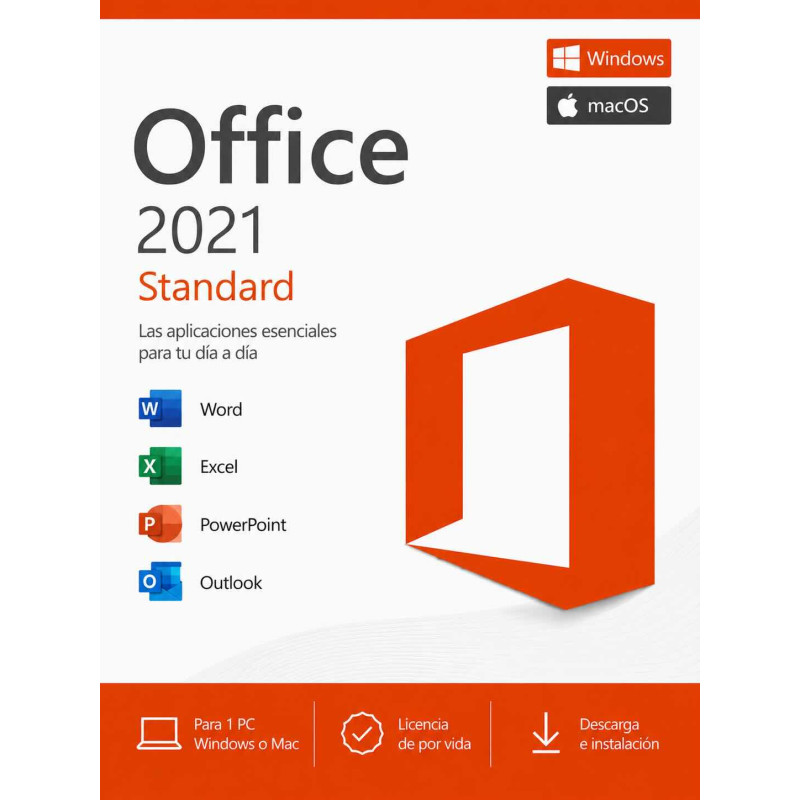
Genuine, perpetual Office 2021 Standard: Word, Excel, PowerPoint, Outlook and OneNote for 1 PC or Mac, with a single payment and no subscription. The most affordable way to get the five essential apps, with your Product Key by email instantly.
Windows & Mac One-time payment, no subscription Instant email delivery Supported until October 2026
Rated 9.8/10 on eKomi (Gold seal) · Spanish company · Genuine, legally resold licence · Lifetime guarantee.
Office 2021 Standard includes the 5 essential Microsoft Office applications with a perpetual licence — one-time payment, no subscription, no expiry date:
| Application | What it does |
|---|---|
| Word | Create and edit documents, reports, letters, CVs and professional templates with advanced formatting, styles and collaboration tools |
| Excel | Spreadsheets with formulas, pivot tables, charts, data analysis tools, XLOOKUP, dynamic arrays and Power Query for handling large datasets |
| PowerPoint | Design professional presentations with animations, transitions, slide recording and modern templates |
| Outlook | Professional email client with calendar, contacts and task management. Supports multiple email accounts (Outlook.com, Gmail, IMAP, Exchange) |
| OneNote | Digital notebook for organising notes, clipping web content, drawing and sharing notebooks across devices |
Office 2021 is available in two editions. The difference is 2 additional applications included in Professional Plus:
| Application | Standard | Professional Plus |
|---|---|---|
| Word | YES | YES |
| Excel | YES | YES |
| PowerPoint | YES | YES |
| Outlook | YES | YES |
| OneNote | YES | YES |
| Access (database) | NO | YES |
| Publisher (desktop publishing) | NO | YES |
| Number of applications | 5 apps | 7 apps |
| Price | More affordable | Higher price |
Office 2021 and Office 2024 are both perpetual licences (one-time payment, no subscription). The applications and core features are identical. Office 2024 adds minor interface improvements, but for the vast majority of users the difference in daily use is negligible:
| Feature | Office 2021 Standard | Office 2024 Standard |
|---|---|---|
| Word, Excel, PowerPoint, Outlook | YES | YES |
| OneNote | YES | YES |
| XLOOKUP, dynamic arrays in Excel | YES | YES |
| Licence type | Perpetual (one-time payment) | Perpetual (one-time payment) |
| Microsoft support | Security updates until October 2026 | Security updates until October 2029 |
| Interface | Modern ribbon (2021 design) | Updated ribbon (2024 design, minor refinements) |
| Price | More affordable | Higher price |
This is the most important comparison. Office 2021 Standard and Microsoft 365 include the same core applications, but the payment model is completely different:
| Aspect | Office 2021 Standard | Microsoft 365 Personal |
|---|---|---|
| Payment model | One-time payment, yours for ever | $69.99 USD/year (or $6.99 USD/month) |
| 3-year cost | What you pay today (and nothing more) | ~$210 USD |
| 5-year cost | What you pay today (and nothing more) | ~$350 USD |
| Word, Excel, PowerPoint, Outlook | YES | YES |
| Automatic updates | Security updates only | Security + feature updates |
| Cloud storage | Not included (use OneDrive free 5 GB) | 1 TB OneDrive included |
| If you stop paying | You keep Office for ever | You lose access to Office apps |
The bottom line: If you do not need 1 TB of OneDrive or the very latest feature updates, Office 2021 Standard with a one-time payment is significantly cheaper over time. Microsoft 365 charges $69.99 USD per year, every year. After just 3 years you will have spent over $210 USD — and you still would not own anything.
| Requirement | Specification |
|---|---|
| Operating system | Windows 10 or Windows 11 (32-bit and 64-bit) |
| Processor | 1.6 GHz or faster (2-core) |
| RAM | 4 GB minimum |
| Hard drive | 4 GB of available space |
| Display | 1280 x 768 resolution or higher |
| Mac compatible | NO — This licence is for Windows only. For Mac, see Office for Mac |
| Internet | Required for activation only. Once activated, Office 2021 Standard works fully offline |
Add Office 2021 Standard to your cart, complete payment and receive your original Microsoft Product Key by email within minutes. We accept credit/debit cards and PayPal worldwide. We also accept local payment methods in 30+ countries: M-Pesa and Airtel Money in Kenya, GoPay, OVO, DANA, bank transfer and virtual account in Indonesia, FPX online banking and e-wallets in Malaysia, bank transfer and cards in Nigeria, and card or PayPal in the United Kingdom.
Download Office 2021 directly from the official Microsoft website using the link included in your delivery email. This ensures you always get the latest, genuine version of the software. Installation takes approximately 10–15 minutes.
Open any Office application (Word, Excel, etc.) and enter your Product Key when prompted. Activation is online and instant through Microsoft's servers. Once activated, Office 2021 Standard remains permanently active on your PC. It does not expire, does not need renewal and has no recurring payments.
Combine Office 2021 with other products and save up to 30%:
| Bundle | What is included | Benefit |
|---|---|---|
| Windows 11 Pro + Office 2021 | Windows 11 Pro licence + Office 2021 licence (2 keys) | Up to 30% cheaper than buying separately |
| Office 2021 Professional Plus | 7 apps: adds Access and Publisher to Standard's 5 | The most complete Office 2021 suite |
| Office 2024 | The latest perpetual version of Office for 1 PC | Longer support window (until 2029) |
IT departments and businesses: Office 2021 Standard with a perpetual licence is the most cost-effective option for equipping teams that only need Word, Excel, PowerPoint and Outlook. Predictable cost, no subscription management, with an official invoice for your records.
Yes. The Court of Justice of the European Union ruling C-128/11 (UsedSoft v. Oracle, July 2012) established that reselling software licences is legal in the EU provided the original purchaser has deactivated their copy. La Tienda de las Licencias is a registered Spanish company operating under this legal framework, issuing official invoices and offering a lifetime guarantee on every licence.
No. It is a permanent licence. Office 2021 Standard activates permanently on your PC. There are no recurring payments, no renewals and no expiry date. You pay once and use it for ever.
This licence is for Windows only (Windows 10 and Windows 11). We sell separate licences for Mac — see our Office for Mac category for available options.
Office 2021 Standard includes 5 applications: Word (documents), Excel (spreadsheets), PowerPoint (presentations), Outlook (email and calendar) and OneNote (notes). It does not include Access or Publisher — if you need those, choose Office 2021 Professional Plus.
Standard includes Word, Excel, PowerPoint, Outlook and OneNote (5 apps). Professional Plus adds Access (databases) and Publisher (desktop publishing), totalling 7 apps. If you only need Word, Excel, PowerPoint and Outlook, Standard is sufficient and more affordable.
Both are perpetual licences with a one-time payment. The applications and core features are the same. Office 2024 adds minor interface refinements and has a longer support window (until 2029 vs 2026). Office 2021 offers the same daily functionality at a lower price.
They include the same core applications (Word, Excel, PowerPoint, Outlook). The difference is the payment model. Office 2021 is a one-time purchase that you own for ever. Microsoft 365 is a subscription of $69.99 USD per year — and if you stop paying, you lose access to all Office applications. Office 2021 is significantly cheaper over time for users who do not need 1 TB OneDrive or continuous feature updates.
The licence is for 1 PC. If you need Office on multiple computers, you can purchase additional licences or see our multi-PC bundles for volume savings.
Yes. You receive an original Microsoft Product Key. Office 2021 is downloaded from the official Microsoft website and activated through Microsoft's servers. The key is genuine and the activation is permanent.
Yes. We accept local payment methods in 30+ countries. In Kenya you can pay with M-Pesa, Airtel Money or card (KES). In Nigeria with bank transfer or card (NGN). In Indonesia with GoPay, OVO, DANA, bank transfer or virtual account (IDR). In Malaysia with FPX online banking, e-wallets or card (MYR). In the United Kingdom with credit/debit card or PayPal (GBP). Prices are shown in your local currency automatically.
There is no physical shipment needed. All our licences are delivered digitally by email within minutes of payment confirmation. UK customers pay in GBP with credit/debit card or PayPal and receive the Product Key instantly.
Yes. For IT companies, computer shops and resellers we offer discounts of up to 30% across our entire catalogue through the reseller programme. Available to resellers worldwide. Register at distribuidores.latiendadelaslicencias.com.
Specific References
Genuine, perpetual Office 2021 Standard: Word, Excel, PowerPoint, Outlook and OneNote for 1 PC or Mac, with a single payment and no subscription. The most affordable way to get the five essential apps, with your Product Key by email instantly.
Windows & Mac One-time payment, no subscription Instant email delivery Supported until October 2026
Rated 9.8/10 on eKomi (Gold seal) · Spanish company · Genuine, legally resold licence · Lifetime guarantee.
