


 WINDOWS
 Office
 Windows Server
 Antivirus
 Utilities
 Professional Software
 PACKS
PACKS
 Plantillas Excel
- On sale!
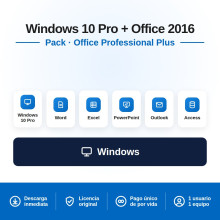
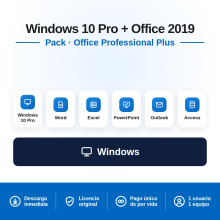
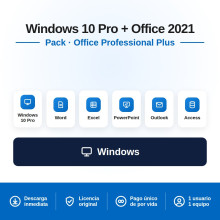
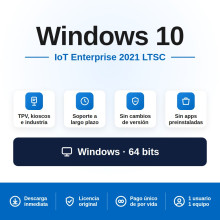
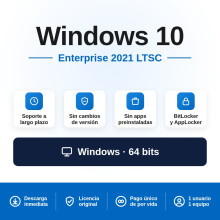
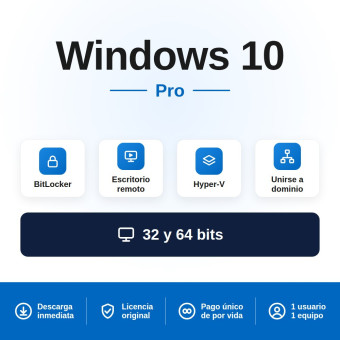
Buy your genuine Windows 10 Pro licence with an original Product Key, direct Microsoft activation and lifetime guarantee. Windows 10 Pro is a stable operating system compatible with virtually all hardware and software on the market, ideal for devices that do not meet Windows 11 requirements. Also available in Enterprise LTSC editions with extended support until 2029–2032, and in bundles with Office at 30% off.
Is your device compatible with Windows 11? Windows 11 Pro has active Microsoft support, a refreshed interface and AI features. If your device meets the requirements (TPM 2.0, Secure Boot, 4 GB RAM), it is the option with the longest lifespan.
Registered European company · 100% legal licence under CJEU ruling C-128/11 · Select your currency: GBP, KES, NGN, IDR, MYR, USD and more.
Paying from outside the UK? Select your local currency at checkout: Kenyan shillings (KES), Nigerian naira (NGN), Indonesian rupiah (IDR), Malaysian ringgit (MYR), US dollars (USD) and more. Instant email delivery worldwide.
| Product | Best for | Microsoft support | |
|---|---|---|---|
| Windows 10 Pro | General use, home and professional devices | Ended (Oct. 2025) | See price |
| Windows 10 Enterprise 2019 LTSC | Businesses, kiosks, POS terminals, critical environments | Until Jan. 2029 | See price |
| Windows 10 Enterprise 2021 LTSC | Businesses needing stability without feature updates | Until Jan. 2027 | See price |
| Windows 10 IoT Enterprise 2021 LTSC | IoT devices, digital signage, ATMs, industrial equipment | Until Jan. 2032 | See price |
| Bundle | Includes | Discount | |
|---|---|---|---|
| Win 10 Pro + Office 2021 Pro Plus | Operating system + latest compatible office suite | -30% | See price |
| Win 10 Pro + Office 2019 Pro Plus | Operating system + full office suite | -30% | See price |
| Win 10 Pro + Office 2016 Pro Plus | Most affordable option: system + full office suite | -30% | See price |
Microsoft ended official support for Windows 10 (standard version) on 14 October 2025. It is important to understand what this means and what it does not:
| What changes | What does NOT change |
|---|---|
| No more free security updates | Windows 10 keeps working perfectly |
| No more feature updates | All applications and drivers remain compatible |
| No more Microsoft technical support | You can still install and activate licences |
| Greater exposure to new vulnerabilities | A good antivirus mitigates most risks |
| Aspect | Windows 10 Pro | Enterprise 2019 LTSC | IoT Ent. 2021 LTSC |
|---|---|---|---|
| Security support | Ended | Until Jan. 2029 | Until Jan. 2032 |
| Feature updates | Ended | Security only (no interface changes) | Security only (no interface changes) |
| Microsoft Store | ✓ | ✗ Not included | ✗ Not included |
| Cortana / Built-in Edge | ✓ | ✗ Removed (cleaner system) | ✗ Removed (cleaner system) |
| BitLocker | ✓ | ✓ | ✓ |
| Domain join | ✓ | ✓ | ✓ |
| Best for | Personal use and offices with antivirus | Businesses, POS, kiosks, regulated environments | IoT, digital signage, ATMs, industrial equipment |
| Aspect | Windows 10 Pro | Windows 11 Pro |
|---|---|---|
| Security support | Ended (Oct. 2025) | Active until Oct. 2027+ |
| Interface | Classic (Start menu on the left) | Refreshed (centred Start, rounded corners) |
| AI and Copilot | ✗ | ✓ Copilot built in |
| TPM 2.0 requirement | Not required | Required |
| Hardware compatibility | Maximum (runs on almost everything) | Requires recent hardware (2018+) |
| Performance on older devices | Better (lighter) | Requires more resources |
| Best for | Devices without TPM 2.0, pre-2018 hardware, tightest budget | Recent devices that meet requirements, maximum support and features |
Quick summary: If your device has TPM 2.0 and Secure Boot, choose Windows 11 Pro for active support. If your device does not meet those requirements or you need maximum compatibility with hardware and software, Windows 10 Pro remains a solid and fully functional choice.
| Component | Minimum requirement |
|---|---|
| Processor | 1 GHz or faster |
| RAM | 1 GB (32-bit) / 2 GB (64-bit) |
| Disk space | 32 GB |
| Graphics card | DirectX 9 compatible with WDDM 1.0 driver |
| Display | Minimum resolution 800 × 600 |
Windows 10 Pro has the lowest requirements of any modern Windows. It runs on devices from 2010 onwards without issues, making it the ideal choice for giving new life to older hardware.
| Step | Action |
|---|---|
| 1. Purchase and receive your Product Key | After completing payment, you will receive your Windows 10 Pro activation key by email along with the official download link and step-by-step instructions. Delivery is instant and automatic |
| 2. Download the official ISO | Download the Media Creation Tool from Microsoft at microsoft.com/software-download/windows10. Create a USB installer or mount the ISO directly |
| 3. Install Windows 10 | Boot from the USB, select “Windows 10 Pro” when prompted for the edition and enter your Product Key when asked. Full installation takes approximately 20–30 minutes |
| 4. Activate your licence | If you did not enter it during installation, go to Settings → Update & Security → Activation → Change product key. Activation is online and instant |
Payment methods available: Credit/debit card and PayPal (UK and worldwide) · M-Pesa and Airtel Money (Kenya) · Bank transfer and cards (Nigeria) · GoPay, OVO, DANA and bank transfer (Indonesia) · FPX and cards (Malaysia) · All major international cards via dLocal Go.
Yes. Windows 10 works exactly as it did before end of support. The operating system does not deactivate, does not stop working and does not lose any features. The only change is that Microsoft no longer publishes free security updates. All applications, drivers and games remain compatible. Millions of devices worldwide continue to run Windows 10 in 2026.
The risk exists but is manageable. With an up-to-date antivirus (such as Bitdefender, ESET or Norton, available in our store), an updated browser (Chrome, Firefox or Edge update independently of Windows) and sensible browsing habits, the real risk is low for most users. For business or critical environments, we recommend the Enterprise LTSC editions which maintain support until 2029 or 2032.
If your device meets Windows 11 hardware requirements (TPM 2.0, Secure Boot, compatible processor, 4 GB RAM, 64 GB storage), yes, the upgrade from Windows 10 to Windows 11 is free through Windows Update. If your device does not meet the requirements, you cannot upgrade officially. In that case, Windows 10 Pro remains your best option.
Yes, it is 100% legal. We sell genuine Microsoft licences under the Court of Justice of the EU ruling (case C-128/11, UsedSoft v Oracle), which establishes that reselling software licences within the European Union is lawful. The licence you receive is an official Microsoft Product Key valid for activation. We are a registered European company and issue an official invoice.
LTSC stands for Long-Term Servicing Channel. It is a special edition of Windows 10 Enterprise designed for environments that need maximum stability and minimal changes: kiosks, POS terminals, ATMs, industrial equipment and fixed-purpose servers. It does not include Microsoft Store, Cortana or pre-installed apps, making it lighter and more stable. Its main advantage: it receives security updates for 10 years (until 2029 or 2032 depending on the edition).
Windows 10 Home is the basic version for home use. Windows 10 Pro adds professional features: BitLocker (full disk encryption), Remote Desktop (access from another device), domain join (business networks), Hyper-V (virtualisation) and Group Policy (centralised management). We sell the Pro edition exclusively because the price difference is minimal and the additional features are very useful even for personal use.
Yes. If you format your device, Windows 10 reactivates automatically upon detecting the same hardware. If you change devices, you can transfer the licence by deactivating it on the previous PC first. The licence is for 1 PC at a time but is reusable. If you need help with the process, our support team assists you free of charge.
Yes. We deliver digital licences worldwide by email. For Kenya we accept M-Pesa and Airtel Money, for Nigeria bank transfer and local cards, for Indonesia GoPay, OVO, DANA and bank transfer, and for Malaysia FPX and local cards — all through our secure dLocal Go payment platform. Payment is in your local currency (KES, NGN, IDR, MYR). Delivery is instant. The licence works globally with no geographical restrictions.
It depends on your device. If your PC is not compatible with Windows 11 (lacks TPM 2.0 or the processor is not supported), Windows 10 Pro is the best available option. It is a mature, stable operating system compatible with virtually all software on the market. With an up-to-date antivirus, it will remain perfectly usable for years. If your device is compatible with Windows 11, we recommend Windows 11 Pro for active security support.
