


 WINDOWS
 Office
 Windows Server
 Antivirus
 Utilities
 Professional Software
 PACKS
PACKS
 Plantillas Excel
- On sale!
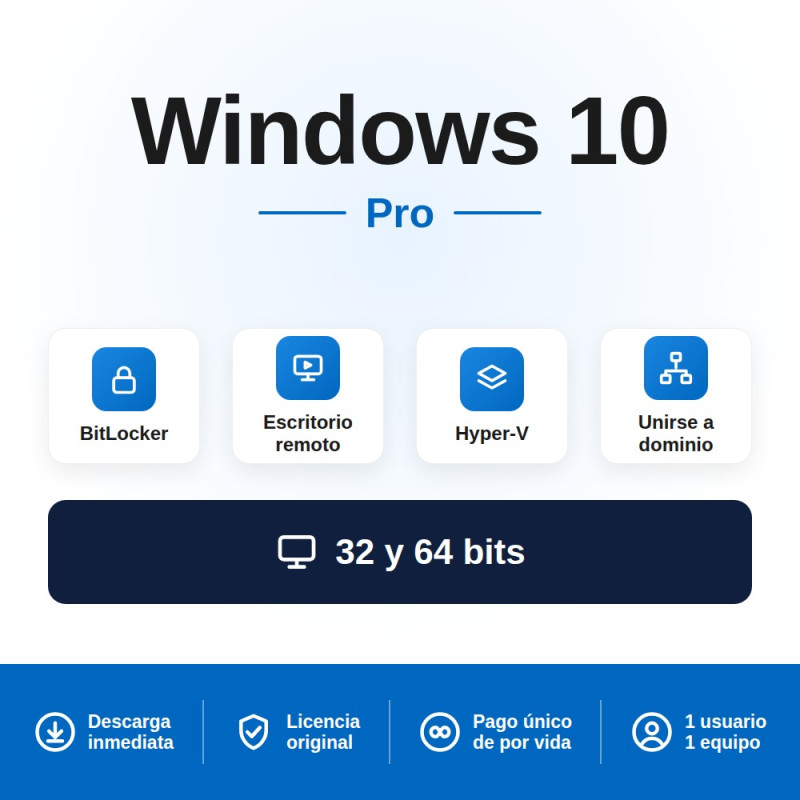
Windows 10 Pro: original Microsoft licence with permanent activation for 1 PC. The most stable and compatible professional operating system. Ideal for computers that do not support Windows 11 or for businesses that need maximum compatibility with existing software. One-time payment, yours for ever.
Receive your original Product Key by email instantly. Activate directly on microsoft.com. Supports both 32-bit and 64-bit.
Need Office too? Save with our Windows 10 Pro + Office 2021 bundle — up to 30% off.
Legal under EU Court of Justice ruling C-128/11 (UsedSoft v. Oracle). Pay with M-Pesa, GoPay, OVO, FPX, bank transfer, card or PayPal.
Windows 10 Pro is the professional edition of the world's most widely used operating system. It includes everything in Windows 10 Home plus advanced security, management and productivity tools designed for professionals and businesses:
| Feature | What it does |
|---|---|
| BitLocker | Full-disk encryption. If your laptop is lost or stolen, no one can access your data |
| Remote Desktop (RDP) | Connect to your PC from anywhere in the world as if you were sitting in front of it. Essential for remote work |
| Hyper-V | Create virtual machines to run other operating systems (Linux, older Windows versions) without needing a second computer |
| Domain join | Connect the computer to a corporate network with Active Directory. Enables centralised management of users, permissions and group policies |
| Windows Update for Business | Control when and how updates are installed. Defer feature updates to avoid disruptions |
| Windows Sandbox | Run suspicious applications in an isolated, secure environment. Everything is deleted when you close the sandbox |
| Group Policy (GPO) | Centrally configure security policies, access controls and system behaviour across all computers in your organisation |
| Kiosk mode | Lock a computer to run only one application or a limited set of programmes. Ideal for point-of-sale terminals and public kiosks |
Windows 10 Home covers the basic needs of everyday users. Windows 10 Pro adds essential tools for professionals, businesses and anyone who values security and full control over their computer:
| Feature | Home | Pro |
|---|---|---|
| Web browsing, apps, multimedia | YES | YES |
| Microsoft Store | YES | YES |
| Windows Hello (biometrics) | YES | YES |
| BitLocker (disk encryption) | NO | YES |
| Remote Desktop (host) | NO | YES |
| Hyper-V (virtual machines) | NO | YES |
| Domain join / Active Directory | NO | YES |
| Group Policy (GPO) | NO | YES |
| Windows Sandbox | NO | YES |
| Maximum RAM supported | 128 GB | 2 TB |
Windows 10 and Windows 11 are both current Microsoft operating systems. The main difference is not in the professional features (both have BitLocker, RDP, Hyper-V and domain join) but in the hardware requirements and the interface:
| Feature | Windows 10 Pro | Windows 11 Pro |
|---|---|---|
| BitLocker, RDP, Hyper-V, domain join | YES | YES |
| Sandbox, GPO | YES | YES |
| Interface | Classic (Start menu on the left, proven design) | Redesigned (centred Start menu, rounded corners, widgets) |
| TPM 2.0 requirement | NOT required | Mandatory |
| Secure Boot requirement | NOT required | Mandatory |
| Minimum RAM | 1 GB (32-bit) / 2 GB (64-bit) | 4 GB |
| Supported processors | Very broad (Intel 4th gen+, older AMD) | Restricted (Intel 8th gen+, AMD Ryzen 2000+) |
| Microsoft support | Security updates until October 2025 (extendable with ESU) | Active updates (long-term support) |
| 32-bit compatibility | YES | NO (64-bit only) |
| Price | More affordable | Higher price |
| Requirement | Specification |
|---|---|
| Processor | 1 GHz or faster |
| RAM | 1 GB (32-bit) or 2 GB (64-bit) |
| Hard drive | 32 GB of available space |
| Display | 800 x 600 resolution or higher |
| TPM | NOT required (recommended for BitLocker) |
| Architecture | 32-bit and 64-bit |
| Mac compatible | NO — For PCs with x86/x64 architecture only |
Add Windows 10 Pro to your cart, complete payment and receive your original Microsoft Product Key by email within minutes. We accept credit/debit cards and PayPal worldwide. We also accept local payment methods in 30+ countries: M-Pesa and Airtel Money in Kenya, GoPay, OVO, DANA, bank transfer and virtual account in Indonesia, FPX online banking and e-wallets in Malaysia, bank transfer and cards in Nigeria, and card or PayPal in the United Kingdom.
Download the Media Creation Tool from the official Microsoft website (microsoft.com/software-download/windows10). With this tool you can create a bootable USB drive or install directly. You always get the latest, genuine version of the operating system.
During installation or afterwards in Settings → Update & Security → Activation, enter your Product Key. Activation is online and instant through Microsoft's servers. Once activated, Windows 10 Pro remains permanently active on your PC. It does not expire, does not need renewal and has no recurring payments.
Combine Windows 10 Pro with Office and save up to 30%:
| Bundle | What is included | Benefit |
|---|---|---|
| Windows 10 Pro + Office 2024 | Windows 10 Pro licence + Office 2024 Pro Plus licence (2 keys) | Up to 30% cheaper than buying separately |
| Windows 10 Pro + Office 2021 | Windows 10 Pro licence + Office 2021 Pro Plus licence (2 keys) | Most affordable Windows + Office bundle |
| Windows 11 Pro | The latest version of Windows for compatible computers | Modern interface, long-term support |
IT departments and businesses: Windows 10 Pro is the ideal choice for refreshing computer fleets where machines do not meet Windows 11 requirements. Perpetual licence with domain join, BitLocker, Group Policy and full update control. Official invoice included.
Yes. The Court of Justice of the European Union ruling C-128/11 (UsedSoft v. Oracle, July 2012) established that reselling software licences is legal in the EU provided the original purchaser has deactivated their copy. La Tienda de las Licencias is a registered Spanish company operating under this legal framework, issuing official invoices and offering a lifetime guarantee on every licence.
No. It is a permanent licence. Windows 10 Pro activates permanently on your PC. There are no recurring payments, no renewals and no expiry date. You pay once and use it for ever.
Almost certainly, yes. Windows 10 Pro runs on virtually any PC manufactured in the past 15 years. The minimum requirements are a 1 GHz processor, 1 GB of RAM (32-bit) or 2 GB (64-bit) and 32 GB of disk space. Unlike Windows 11, it does not require TPM 2.0 or Secure Boot.
Pro includes everything in Home plus: BitLocker (disk encryption), Remote Desktop as host, Hyper-V (virtual machines), domain join with Active Directory, Group Policy (GPO) and Windows Sandbox. If you work with sensitive data, work remotely or need to connect to a corporate network, Pro is essential.
The professional features are identical (BitLocker, RDP, Hyper-V, domain join, GPO). The main difference is the interface (Windows 10 has the classic Start menu, Windows 11 has a redesigned layout) and the hardware requirements (Windows 11 requires TPM 2.0, Secure Boot and more recent processors). If your computer does not meet the Windows 11 requirements, Windows 10 Pro is your best option.
Yes, provided your computer meets the hardware requirements for Windows 11 (TPM 2.0, Secure Boot, compatible processor). The upgrade from Windows 10 Pro to Windows 11 Pro is free through Windows Update for as long as Microsoft offers it.
Yes. This licence activates both the 32-bit and 64-bit versions of Windows 10 Pro. It is the same Product Key for both architectures. Windows 11, by contrast, is only available in 64-bit.
The licence is for 1 PC. If you need Windows on multiple computers, you can purchase additional licences or see our volume discounts for businesses and resellers.
Yes. We accept local payment methods in 30+ countries. In Kenya you can pay with M-Pesa, Airtel Money or card (KES). In Nigeria with bank transfer or card (NGN). In Indonesia with GoPay, OVO, DANA, bank transfer or virtual account (IDR). In Malaysia with FPX online banking, e-wallets or card (MYR). In the United Kingdom with credit/debit card or PayPal (GBP). Prices are shown in your local currency automatically.
There is no physical shipment needed. All our licences are delivered digitally by email within minutes of payment confirmation. UK customers pay in GBP with credit/debit card or PayPal and receive the Product Key instantly.
Yes. For IT companies, computer shops and resellers we offer discounts of up to 30% across our entire catalogue through the reseller programme. Available to resellers worldwide. Register at distribuidores.latiendadelaslicencias.com.
Specific References
Windows 10 Pro: original Microsoft licence with permanent activation for 1 PC. The most stable and compatible professional operating system. Ideal for computers that do not support Windows 11 or for businesses that need maximum compatibility with existing software. One-time payment, yours for ever.
Receive your original Product Key by email instantly. Activate directly on microsoft.com. Supports both 32-bit and 64-bit.
Need Office too? Save with our Windows 10 Pro + Office 2021 bundle — up to 30% off.
Legal under EU Court of Justice ruling C-128/11 (UsedSoft v. Oracle). Pay with M-Pesa, GoPay, OVO, FPX, bank transfer, card or PayPal.