


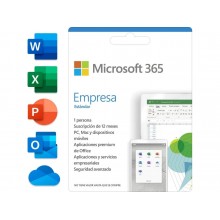
Buy your Microsoft 365 (formerly Office 365) subscription at a discount. Access Word, Excel, PowerPoint, Outlook and every Office application always updated to the latest version, with 1 TB of OneDrive cloud storage per person and Copilot (Microsoft’s AI) included. Official 12-month subscription with instant delivery. Available in three plans: Personal (1 person), Family (up to 6 people) and Business Standard (up to 5 devices with Teams and Exchange).
Prefer a one-time payment with no subscription? Office 2024 Professional Plus includes Word, Excel, PowerPoint, Outlook, Access and Publisher with a perpetual licence. Pay once and it’s yours forever.
Registered European company · Official invoice · Select your currency: GBP, KES, NGN, IDR, MYR, USD and more.
Paying from outside the UK? Select your local currency at checkout: Kenyan shillings (KES), Nigerian naira (NGN), Indonesian rupiah (IDR), Malaysian ringgit (MYR), US dollars (USD) and more. Instant email delivery worldwide.
Microsoft 365 (formerly known as Office 365) is Microsoft’s subscription that includes every Office application always updated to the latest version, OneDrive cloud storage and, since 2024, Copilot (Microsoft’s AI assistant) included at no extra cost. These are the 12-month subscriptions available in our store:
| Plan | For whom | Devices | OneDrive | |
|---|---|---|---|---|
| Microsoft 365 Personal | 1 person | 1 PC/Mac + tablet + mobile | 1 TB | See price |
| Microsoft 365 Family | Up to 6 people | 6 PC/Mac + tablets + mobiles | 6 TB (1 TB × 6) | See price |
| Microsoft 365 Business Standard | 1 user, up to 5 devices | 5 PC/Mac + mobiles | 1 TB | See price |
| Aspect | Personal | Family | Business Standard |
|---|---|---|---|
| Users | 1 person | Up to 6 people | 1 user (business) |
| Office apps | Word, Excel, PPT, Outlook, OneNote | Word, Excel, PPT, Outlook, OneNote | Word, Excel, PPT, Outlook, OneNote, Access, Publisher |
| OneDrive storage | 1 TB | 6 TB (1 TB × 6) | 1 TB |
| Copilot (AI) | ✓ Included | ✓ Included | ✓ Included |
| Microsoft Teams | ✓ | ✓ | ✓ Business edition |
| Exchange (business email) | ✗ | ✗ | ✓ 50 GB mailbox |
| SharePoint | ✗ | ✗ | ✓ Business intranet |
| PC + Mac + mobile | ✓ | ✓ | ✓ |
| Best for | Individual use, freelancers, students | Families and households with multiple devices | Businesses, self-employed, teams |
Every Microsoft 365 subscription includes the Office applications always updated to the latest version, with no need to purchase new licences when Microsoft releases an update:
| Application / Service | What it does |
|---|---|
| Word | Word processor. Documents, reports, letters. Always the latest version |
| Excel | Spreadsheets. Accounting, budgets, data analysis with XLOOKUP, IMAGE() and the latest functions |
| PowerPoint | Professional presentations with Morph, Zoom, AI-powered Designer and all updated templates |
| Outlook | Email, calendar and contacts. Compatible with Gmail, Exchange, IMAP |
| OneDrive | 1 TB cloud storage per person. Sync files across PC, Mac, mobile and web. Automatic backups |
| Copilot (Microsoft’s AI) | AI assistant integrated into Word, Excel, PowerPoint and Outlook. Summarises documents, generates drafts, analyses data and creates presentations using natural language instructions |
| Microsoft Teams | Video calls, chat, file sharing and team collaboration |
| OneNote | Digital notes organised in notebooks, sections and pages. Synced across all devices |
Business Standard only: Exchange (business email with custom domain), SharePoint (intranet and document management), Access and Publisher. Also includes Microsoft Bookings, Forms and Lists for business management.
This is the big decision. Both give you access to Word, Excel, PowerPoint and Outlook, but the model is completely different:
| Aspect | Microsoft 365 | Office 2024 Pro Plus |
|---|---|---|
| Payment model | Annual subscription (renewable) | One-time payment, yours forever |
| Updates | Always the latest version | Fixed version (2024), security patches |
| OneDrive | 1 TB included | Not included |
| Copilot (AI) | ✓ Included | ✗ Not included |
| Devices | PC + Mac + tablet + mobile | 1 Windows PC |
| If you stop paying | You lose access to the apps | Keeps working forever |
| Best for | Those who need cloud, AI, multi-device and always the latest version | Those who prefer to pay once and not depend on a subscription |
Since 2024, every Microsoft 365 subscription includes Copilot, Microsoft’s AI assistant integrated directly into Word, Excel, PowerPoint and Outlook. Here is what Copilot can do for you:
| App | What Copilot does |
|---|---|
| Word | Generates drafts, rewrites text, summarises lengthy documents, changes the tone of a passage with a single instruction |
| Excel | Analyses data in natural language (“which month had the most sales”), creates formulae, generates charts and spots trends |
| PowerPoint | Creates complete presentations from a topic or document, suggests designs, adds relevant images |
| Outlook | Summarises long email threads, generates replies, prioritises important messages and manages your calendar |
| Teams | Summarises meetings, generates notes and action items automatically, answers questions about what was discussed |
| Step | Action |
|---|---|
| 1. Purchase and receive your code | After completing payment, you will receive your Microsoft 365 redemption code by email along with detailed instructions. Delivery is instant and automatic |
| 2. Redeem at setup.office.com | Go to setup.office.com, sign in with your Microsoft account (or create a free one) and enter the redemption code. 12 months will be added to your account |
| 3. Download and install | From your Microsoft account, download and install Office on your PC, Mac, tablet or mobile. You can install on every device included in your plan |
Payment methods available: Credit/debit card and PayPal (UK and worldwide) · M-Pesa and Airtel Money (Kenya) · Bank transfer and cards (Nigeria) · GoPay, OVO, DANA and bank transfer (Indonesia) · FPX and cards (Malaysia) · All major international cards via dLocal Go.
Important note: The Microsoft 365 Personal and Family subscriptions we sell are valid for Europe only. If you need a subscription for use outside Europe, activation may require a Microsoft account set to a European region. Business Standard works globally without geographical restrictions.
They are the same product. Microsoft rebranded Office 365 as Microsoft 365 in April 2020. The content is identical: the same Office applications (Word, Excel, PowerPoint, Outlook), the same OneDrive storage and the same services. Whether you search for “Office 365” or “Microsoft 365”, it is the same subscription.
Yes. Since 2024, Microsoft includes Copilot in every Microsoft 365 Personal, Family and Business subscription. Copilot is Microsoft’s AI assistant integrated into Word, Excel, PowerPoint, Outlook and Teams. It works with natural language instructions: you can ask it to summarise a document, analyse a data table or create a complete presentation.
When the 12 months end, the subscription expires and you lose access to the desktop applications and the additional OneDrive storage. Your files in OneDrive are preserved but you cannot upload new ones if you exceed the free 5 GB. To renew, simply purchase another 12-month code and redeem it in your Microsoft account. 12 additional months will be added.
Yes. Every Microsoft 365 subscription includes the applications for Windows PC, Mac, iPhone, iPad and Android devices. You can sign in on any device with your Microsoft account and have Office installed on all of them. The Personal plan allows 1 active device simultaneously, Family up to 6 (one per person) and Business Standard up to 5.
Yes. Despite the name “Family”, you can share the subscription with anyone. Each of the 6 people receives their own Microsoft account with 1 TB of independent OneDrive, their own Office applications and their own settings. They do not need to live at the same address.
Yes. You can buy multiple 12-month codes and redeem them one after the other in the same Microsoft account. The time accumulates. For example, if you redeem 2 codes, you will have 24 months of active subscription.
Yes. Microsoft 365 Business Standard includes Exchange Online (business email with 50 GB mailbox and custom domain), Microsoft Teams (business edition with webinar features), SharePoint Online (intranet and document management), and the additional applications Access and Publisher. It is the ideal choice for freelancers and SMEs that need professional tools.
Yes. We deliver digital subscriptions worldwide by email. For Kenya we accept M-Pesa and Airtel Money, for Nigeria bank transfer and local cards, for Indonesia GoPay, OVO, DANA and bank transfer, and for Malaysia FPX and local cards — all through our secure dLocal Go payment platform. Payment is in your local currency (KES, NGN, IDR, MYR). Delivery is instant. Please note that Personal and Family plans are Europe-only licences; Business Standard works globally.
It depends on what you need. Microsoft 365 is better if you want the latest version of Office at all times, need 1 TB of cloud storage, want built-in AI with Copilot and use multiple devices (PC, Mac, mobile). Office 2024 Professional Plus is better if you prefer to pay once and not depend on a subscription, do not need extra cloud storage and use Office on a single Windows PC only.
