


 WINDOWS
 Office
 Windows Server
 Antivirus
 Utilities
 Professional Software
 PACKS
 Plantillas Excel
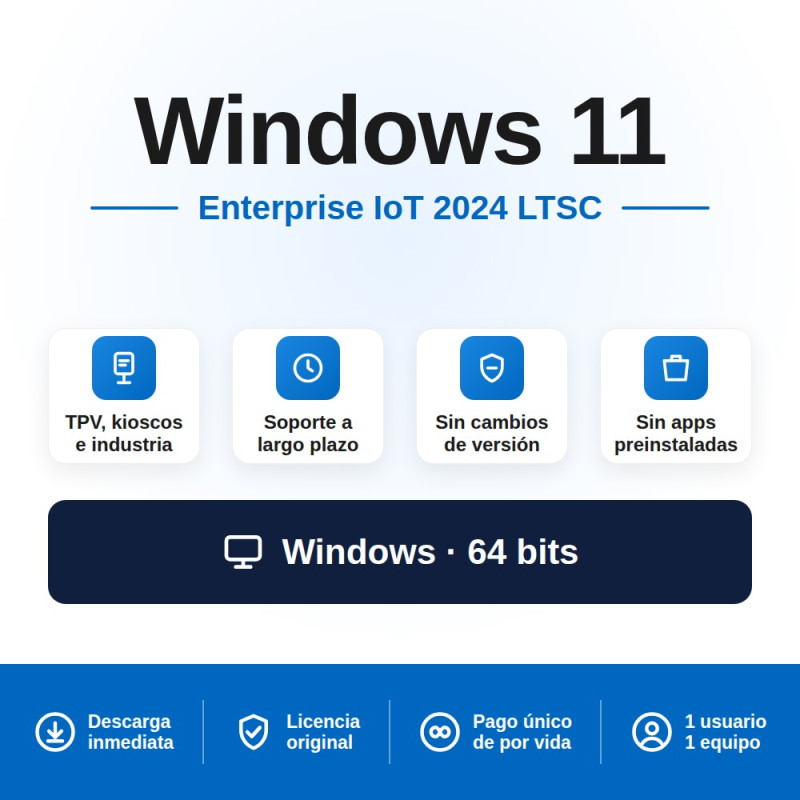
Windows 11 IoT Enterprise 2024 LTSC: the OS for fixed-function devices —kiosks, POS, ATMs, digital signage and industrial equipment— with support until 2034 (10 years). Includes kiosk mode, UWF, Shell Launcher and Keyboard Filter, with no Microsoft Store or feature updates. Perpetual license with an official key and instant email delivery.
Support until 2034 (10 years) For fixed-function devices No Store or feature updates One-time payment, lifetime guarantee
Rated 9.8/10 on eKomi (Gold seal) · Spanish company · Genuine, legally resold license · Lifetime guarantee.
Windows 11 IoT Enterprise 2024 LTSC is the Microsoft operating system designed for fixed-purpose devices: interactive kiosks, point-of-sale (POS) terminals, ATMs, digital signage, medical equipment, industrial machinery and any hardware that always runs the same application.
LTSC (Long-Term Servicing Channel) means the system only receives security updates. There are no interface changes, no forced new features and no semi-annual updates that could break the device configuration. Total stability throughout the life of the equipment.
IoT Enterprise adds exclusive lockdown features that the standard Enterprise edition does not have: Unified Write Filter (UWF), Shell Launcher, Keyboard Filter and advanced kiosk mode. These tools allow the device to boot directly into your application, with no desktop, no taskbar and no way for anyone to modify the system.
10-year support: Microsoft provides security updates until 2034. This is the Windows 11 edition with the longest support lifecycle available.
The IoT Enterprise edition includes every feature in Windows 11 Enterprise (BitLocker, AppLocker, Credential Guard, etc.) plus these additional tools designed specifically for fixed-purpose devices:
| Feature | What it does | Use case |
|---|---|---|
| Unified Write Filter (UWF) | Protects the disc against writes: any changes are discarded on reboot | Public kiosks, ATMs, shared terminals |
| Shell Launcher | Replaces the Windows desktop with your application on boot | POS, digital signage, medical equipment |
| Keyboard Filter | Blocks key combinations (Ctrl+Alt+Del, Alt+Tab, Windows key) | Any device with public access |
| Assigned Access (kiosk mode) | Runs a single application (UWP or web) in full screen | Information kiosks, registration screens |
| Device Safeguard | Blocks Windows Update until you validate the updates | Critical equipment that cannot update without testing |
In addition to the exclusive IoT features, Windows 11 IoT Enterprise 2024 LTSC includes every security feature from the Enterprise edition:
| Feature | Description |
|---|---|
| BitLocker | Full disc encryption. If the device is stolen, data remains inaccessible. |
| AppLocker | Only allows execution of applications authorised by the administrator. |
| Credential Guard | Protects domain credentials in a hardware-isolated container. |
| Windows Defender Application Guard | Runs Edge in an isolated container for secure browsing. |
| Windows Sandbox | Disposable environment for testing applications without risk to the system. |
| DirectAccess | Automatic VPN to the corporate domain with no user intervention. |
Both editions share the Windows 11 base, the LTSC channel and 10 years of support. The difference lies in the lockdown features for fixed-purpose devices:
| Feature | IoT Enterprise 2024 LTSC | Enterprise 2024 LTSC |
|---|---|---|
| Security support | Until 2034 (10 years) | Until 2034 (10 years) |
| Unified Write Filter (UWF) | Yes | No |
| Shell Launcher | Yes | No |
| Keyboard Filter | Yes | No |
| Advanced kiosk mode | Yes | No |
| Device Safeguard | Yes | No |
| BitLocker, AppLocker, Credential Guard | Yes | Yes |
| DirectAccess, Windows Sandbox | Yes | Yes |
| Microsoft Store | No | No |
| Ideal for | Kiosks, POS, signage, industrial equipment | Office PCs, workstations |
Practical rule: if the device always runs the same application and you need to lock down access to the desktop → IoT Enterprise. If it is a normal office PC where users work with multiple applications → Enterprise 2024 LTSC.
| Feature | Win11 IoT Ent. 2024 LTSC | Win10 IoT Ent. 2021 LTSC | Win10 Ent. 2019 LTSC |
|---|---|---|---|
| System base | Windows 11 (24H2) | Windows 10 (21H2) | Windows 10 (1809) |
| Security support | Until 2034 (10 years) | Until January 2032 (10 years) | Until January 2029 (10 years) |
| UWF, Shell Launcher, Keyboard Filter | Yes | Yes | No (non-IoT edition) |
| TPM 2.0 required | Yes (Windows 11) | No (Windows 10) | No (Windows 10) |
| Secure Boot required | Yes (Windows 11) | No | No |
| Minimum RAM | 4 GB | 2 GB (64-bit) | 2 GB (64-bit) |
| Minimum storage | 64 GB | 16 GB | 16 GB |
| Ideal for | New hardware with TPM 2.0 and longest support | Older hardware incompatible with Win11 | Legacy devices without IoT features |
Summary: if your hardware has TPM 2.0 and Secure Boot, choose Windows 11 IoT Enterprise 2024 LTSC (longest support until 2034). If the hardware is older and does not meet Windows 11 requirements, the alternative is Windows 10 IoT Enterprise 2021 LTSC (support until 2032).
Windows 11 IoT Enterprise 2024 LTSC shares the hardware requirements of Windows 11:
| Component | Minimum requirement |
|---|---|
| Processor | 1 GHz, 2 cores, 64-bit (Windows 11 compatible) |
| RAM | 4 GB |
| Storage | 64 GB |
| TPM | TPM 2.0 mandatory |
| Firmware | UEFI with Secure Boot |
| Graphics | DirectX 12 / WDDM 2.0 compatible |
Important: if your hardware does not have TPM 2.0 or Secure Boot (devices manufactured before 2016–2017 approximately), you cannot install this version. In that case, use Windows 10 IoT Enterprise 2021 LTSC, which does not require TPM 2.0 and has support until 2032.
After purchase you will receive your Product Key by email instantly. Follow these steps to install:
| Step | Action |
|---|---|
| 1. Create installation media | Download the Windows 11 IoT Enterprise LTSC ISO from your VLSC account or request a download link from our support team. Write to USB with Rufus or the Microsoft tool. |
| 2. Install | Boot from the USB drive. Select «Windows 11 IoT Enterprise LTSC» when the edition list appears. Complete the installation. |
| 3. Activate | Settings → System → Activation → Change product key. Enter your Product Key and click Activate. |
| 4. Configure IoT features | Enable UWF, Shell Launcher or Keyboard Filter via Windows Features or DISM/PowerShell. Configure kiosk mode from Settings → Accounts → Assigned Access. |
If you manage fleets of fixed-purpose devices for your clients, our reseller programme gives you access to exclusive volume discounts:
| Windows (Home, Pro, Enterprise, IoT) | 20% discount |
| Windows Server, SQL Server, RDS | 30% discount |
| Microsoft 365 | 10% discount |
Microsoft provides security updates for 10 years, until 2034. This is the Windows 11 edition with the longest support lifecycle available. Throughout that period you will receive monthly security patches with no feature updates that change the interface or system behaviour.
Windows 11 IoT Enterprise 2024 LTSC includes everything in the standard Enterprise edition (BitLocker, AppLocker, Credential Guard, DirectAccess, Windows Sandbox) plus exclusive lockdown features for fixed-purpose devices: Unified Write Filter (UWF), Shell Launcher, Keyboard Filter and advanced kiosk mode. If your device is a normal office PC, the Enterprise 2024 LTSC edition is sufficient.
Technically yes: it is a full Windows 11 with desktop, taskbar and file explorer. You can install standard applications (.exe, .msi). However, it does not include the Microsoft Store and does not receive feature updates. It is designed for fixed-purpose devices. For general-purpose use, Windows 11 Enterprise 2024 LTSC is the correct choice.
UWF is a write filter that protects the system disc. Any changes made during a session (software installation, configuration changes, downloaded files) are discarded on reboot. The device always returns to its original state. It is essential for public kiosks, ATMs and shared terminals where you need to guarantee that nobody can alter the system.
Yes. As it is based on Windows 11, it requires TPM 2.0, Secure Boot and UEFI. If your hardware does not meet these requirements (devices manufactured before 2016–2017 approximately), the alternative with IoT features is Windows 10 IoT Enterprise 2021 LTSC, which does not need TPM 2.0 and has support until January 2032.
Yes. The resale of software licences in the European Union is protected by the Court of Justice of the EU ruling C-128/11 (UsedSoft vs Oracle), which establishes that the holder of a licence may legally resell it. We are a registered Spanish company that issues invoices with VAT. The licence is valid for software audits and regulatory compliance.
Yes. If you replace the device or need to reinstall the system, you can reuse your Product Key on the new equipment. It must only be active on one device at a time. If you have any issues with activation, our technical support team will assist you at no additional cost.
Yes. Delivery is 100% digital by email, instant and automatic to any country worldwide. We accept payment in local currency via dLocal Go with local payment methods: M-Pesa (Kenya), bank transfer (Nigeria), e-wallets (Indonesia, Malaysia), Argentine pesos (ARS), Mexican pesos (MXN), Chilean pesos (CLP), Peruvian soles (PEN), Colombian pesos (COP), US dollars (USD) and more.
If your hardware has TPM 2.0 and Secure Boot, choose Windows 11 IoT Enterprise 2024 LTSC: it is the most modern and has support until 2034. If your hardware is older and does not meet Windows 11 requirements, the best option is Windows 10 IoT Enterprise 2021 LTSC with support until 2032.
Specific References
Windows 11 IoT Enterprise 2024 LTSC: the OS for fixed-function devices —kiosks, POS, ATMs, digital signage and industrial equipment— with support until 2034 (10 years). Includes kiosk mode, UWF, Shell Launcher and Keyboard Filter, with no Microsoft Store or feature updates. Perpetual license with an official key and instant email delivery.
Support until 2034 (10 years) For fixed-function devices No Store or feature updates One-time payment, lifetime guarantee
Rated 9.8/10 on eKomi (Gold seal) · Spanish company · Genuine, legally resold license · Lifetime guarantee.