


 WINDOWS
 Office
 Windows Server
 Antivirus
 Utilities
 Professional Software
 PACKS
PACKS
 Plantillas Excel
- Pack
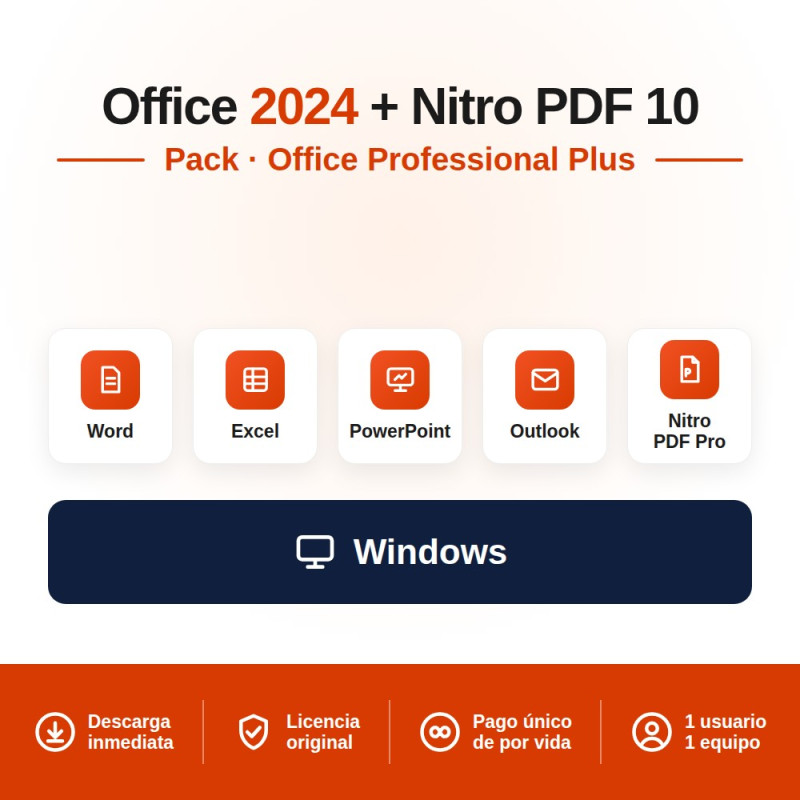
Office 2024 Professional Plus + Nitro PDF Pro 10 bundle for 1 PC: the full Office suite (Word, Excel, PowerPoint, Outlook, Access and OneNote) plus a professional PDF editor — the perpetual alternative to Adobe Acrobat. Two permanent licences with a single payment; you receive both Product Keys by email instantly.
Full Office + PDF editor Adobe Acrobat alternative 2 licences, one-time payment Instant email delivery
Rated 9.8/10 on eKomi (Gold seal) · Spanish company · Genuine, legally resold licence · Lifetime guarantee.
This bundle combines the most complete Microsoft office suite with the most popular professional PDF editor on the market. You receive two independent permanent licences at a lower price than buying them separately.
| Product | What is included |
|---|---|
| Office 2024 Professional Plus | Complete suite with 6 applications: Word, Excel, PowerPoint, Outlook, Access and OneNote. New Excel functions (IMAGE, GROUPBY, PIVOTBY), Cameo in PowerPoint and redesigned Outlook. Perpetual licence for 1 PC |
| Nitro PDF Pro | Professional PDF editor: create, edit, convert, sign and protect PDF documents. Integrates with Word, Excel and PowerPoint. Perpetual licence for 1 PC |
Nitro PDF Pro is the professional alternative to Adobe Acrobat Pro at a fraction of the price. Perpetual licence (one-time payment), no monthly subscription.
| Feature | Detail |
|---|---|
| Create PDF | Convert any document (Word, Excel, PowerPoint, images) to PDF with a single click |
| Edit PDF | Modify text, images, links and pages directly in the PDF without needing the original file |
| Convert PDF | Convert PDF to Word, Excel, PowerPoint and image formats whilst preserving the original layout |
| Sign PDF | Digital and electronic signatures. Request signatures from others. Legally valid |
| Merge and split | Combine multiple PDFs into one or separate individual pages |
| Protect and encrypt | Password-protect PDFs, redact confidential information, control printing and copying permissions |
| OCR | Optical character recognition: convert scanned documents into editable, searchable text |
| Office integration | Integrates directly into Word, Excel and PowerPoint. Export to PDF from Office with one button |
The comparison that matters: identical professional features, completely different payment model.
| Aspect | Nitro PDF Pro | Adobe Acrobat Pro |
|---|---|---|
| Payment model | One-time payment, yours for ever | $23.99 USD/month ($287.88 USD/year) |
| 3-year cost | What you pay today (and nothing more) | ~$863 USD |
| Edit text and images | YES | YES |
| Convert PDF to Office | YES | YES |
| Digital signature | YES | YES |
| OCR | YES | YES |
| Office integration | YES | YES |
| If you stop paying | You keep Nitro for ever | You lose access to Acrobat Pro |
In short: Nitro PDF Pro does everything Adobe Acrobat Pro does (edit, convert, sign, OCR, protect) but with a one-time payment instead of a subscription costing nearly $300 USD per year. After 3 years, Adobe would have cost you over $860 USD — and you would still be paying.
| Application | What it does |
|---|---|
| Word | Documents, reports, letters, CVs, dissertations, contracts |
| Excel | Spreadsheets, data analysis, formulae, charts. New IMAGE, GROUPBY and PIVOTBY functions |
| PowerPoint | Professional presentations with Cameo (live camera feed in your slides) |
| Outlook | Professional email, calendar, contacts and tasks. Completely redesigned in 2024 |
| Access | Databases. Exclusive to Professional Plus |
| OneNote | Digital notebook, information organisation, collaboration |
| Requirement | Office 2024 Pro Plus | Nitro PDF Pro |
|---|---|---|
| Operating system | Windows 10 or Windows 11 | Windows 10 or Windows 11 |
| Processor | 1.6 GHz or faster, dual core | 1.5 GHz or faster |
| RAM | 4 GB (64-bit) / 2 GB (32-bit) | 4 GB |
| Hard drive | 4 GB of available space | 1 GB of available space |
| Mac compatible | NO (Pro Plus is Windows only) | NO (Windows only) |
You receive two independent keys. You can install each product whenever you need to:
Add the bundle to your cart, complete payment and receive two licence keys by email within minutes: one for Office 2024 Pro Plus and one for Nitro PDF Pro. We accept credit/debit cards and PayPal worldwide. We also accept local payment methods in 30+ countries: M-Pesa and Airtel Money in Kenya, GoPay, OVO, DANA, bank transfer and virtual account in Indonesia, FPX online banking and e-wallets in Malaysia, bank transfer and cards in Nigeria, and card or PayPal in the United Kingdom.
Download Office from office.com with your Microsoft account or use the direct link in your delivery email. Office installs automatically with all 6 applications. Open any Office app, go to File > Account > Activate Product and enter your Product Key.
Download Nitro PDF Pro from the link included in your delivery email. Run the installer, enter the licence key when prompted and Nitro activates automatically. Once installed, Nitro integrates directly into Word, Excel and PowerPoint — a "Nitro PDF" button appears in the ribbon toolbar.
Both licences remain permanently active. They do not expire, do not need renewal and have no recurring payments. You can create documents in Word and export them directly to a protected PDF with one click, or receive a PDF and convert it to an editable Word file in seconds.
| Bundle | What is included | Ideal for |
|---|---|---|
| Windows 11 Pro + Office 2024 Pro Plus | Operating system + office suite | Setting up a new PC with 30% savings |
| Office 2024 Pro Plus x3 PCs | 3 licences of Office 2024 Pro Plus | Families or offices with multiple computers |
| Office 2024 Pro Plus (standalone) | Office suite without Nitro PDF | If you already have a PDF editor |
IT companies and computer shops: If you regularly set up PCs for your clients, our reseller programme offers 20% off Office and 30% off Windows Server and SQL Server. Buy in bulk with an official invoice and no minimum order.
Yes. The Court of Justice of the European Union ruling C-128/11 (UsedSoft v. Oracle, July 2012) established that reselling software licences is legal in the EU provided the original purchaser has deactivated their copy. La Tienda de las Licencias is a registered Spanish company operating under this legal framework, issuing official invoices and offering a lifetime guarantee on both licences in the bundle.
Yes. You receive two independent licence keys: one for Office 2024 Professional Plus and one for Nitro PDF Pro. Both are sent by email immediately. You can install each product separately and at different times if you prefer.
No. Both are permanent licences. Office 2024 Pro Plus and Nitro PDF Pro activate permanently on your PC. There are no recurring payments and no renewals. Microsoft provides security updates for Office until October 2029.
No. This bundle is exclusively for Windows. Office 2024 Professional Plus (which includes Access) and Nitro PDF Pro only run on Windows 10 or 11. If you have a Mac, the edition you need is Office 2024 Standard, which is the only perpetual edition compatible with macOS.
Nitro PDF Pro is a professional PDF editor that lets you create, edit, convert, sign, merge and protect PDF documents. It is the alternative to Adobe Acrobat Pro with a perpetual licence (one-time payment) instead of a monthly subscription. You need it if you regularly work with PDFs: editing text in a received PDF, converting PDFs to editable Word files, digitally signing contracts or merging multiple documents into one.
Yes. Once installed, Nitro adds a button to the ribbon toolbar in Word, Excel and PowerPoint that lets you export directly to PDF with one click, control the quality of the resulting PDF and add protection. You can also open any PDF in Nitro and convert it to an editable Word, Excel or PowerPoint format.
Nitro PDF Pro offers the same professional features as Adobe Acrobat Pro (edit, convert, sign, OCR, protect) but with a perpetual one-time licence. Adobe Acrobat Pro requires a subscription of $23.99 USD per month ($287.88 USD per year). After 3 years, Adobe would have cost over $860 USD — and you would still be paying.
Yes. They are two independent licences. You can activate Office 2024 Pro Plus on one PC and Nitro PDF Pro on a different PC if you prefer. Each key works autonomously.
Yes. We accept local payment methods in 30+ countries. In Kenya you can pay with M-Pesa, Airtel Money or card (KES). In Nigeria with bank transfer or card (NGN). In Indonesia with GoPay, OVO, DANA, bank transfer or virtual account (IDR). In Malaysia with FPX online banking, e-wallets or card (MYR). In the United Kingdom with credit/debit card or PayPal (GBP). Prices are shown in your local currency automatically.
There is no physical shipment needed. All our licences are delivered digitally by email within minutes of payment confirmation. UK customers pay in GBP with credit/debit card or PayPal and receive both licence keys instantly — exactly like buying from any other online store.
Yes. For IT companies, computer shops and resellers we offer a 20% discount on Office through our reseller programme, plus 30% off Windows Server and SQL Server. Available to resellers worldwide. Register at distribuidores.latiendadelaslicencias.com.
Specific References
Office 2024 Professional Plus + Nitro PDF Pro 10 bundle for 1 PC: the full Office suite (Word, Excel, PowerPoint, Outlook, Access and OneNote) plus a professional PDF editor — the perpetual alternative to Adobe Acrobat. Two permanent licences with a single payment; you receive both Product Keys by email instantly.
Full Office + PDF editor Adobe Acrobat alternative 2 licences, one-time payment Instant email delivery
Rated 9.8/10 on eKomi (Gold seal) · Spanish company · Genuine, legally resold licence · Lifetime guarantee.