


 WINDOWS
 Office
 Windows Server
 Antivirus
 Utilities
 Professional Software
 PACKS
 Plantillas Excel
- On sale!
- -20%
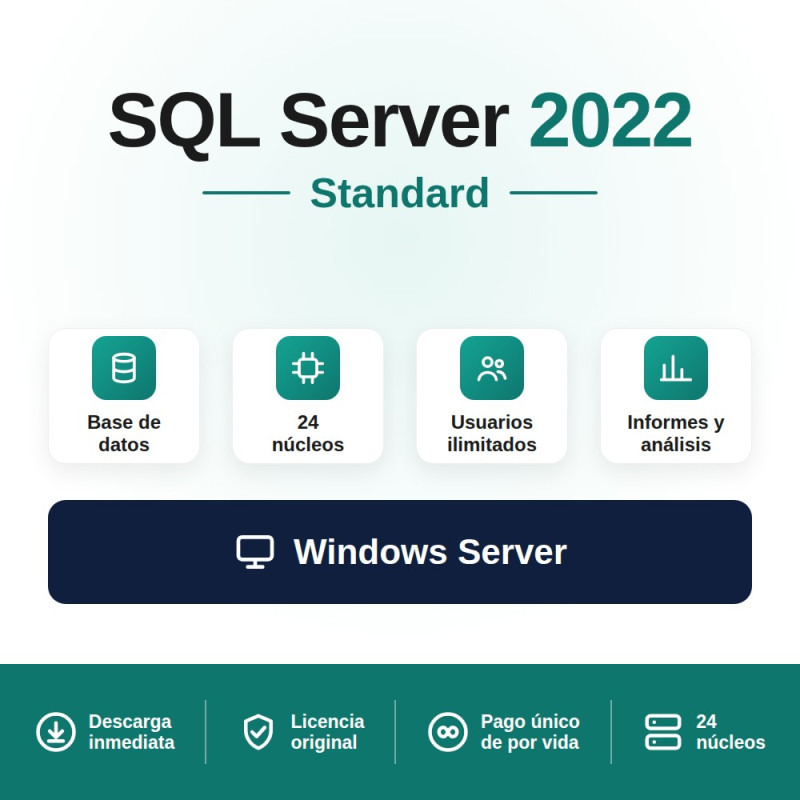
Genuine SQL Server 2022 Standard licence: Microsoft’s relational database engine licenced for 24 cores with unlimited users (no CALs required). Extended support until October 2032. Ledger tables, Query Store by default, S3 integration and Azure Synapse Link.
Need more than 24 cores? SQL Server 2025 Standard (32 cores). Need Windows Server? Windows Server 2022 Standard.
La Tienda de las Licencias · Spanish company · Legal licence under CJEU ruling C-128/11 · EUR, USD, GBP, KES, NGN, IDR, MYR.
Microsoft SQL Server 2022 Standard is the latest version of Microsoft's relational database engine with active extended support. This licence covers 24 physical cores with unlimited users, meaning you do not need to purchase additional CALs — any number of users and applications can connect to the server without restriction.
SQL Server 2022 (version 16.x) brings significant improvements in performance, security and cloud connectivity over previous versions. It is the recommended platform for production databases, business applications, ERP, CRM, e-commerce and development environments.
SQL Server 2022 is the first version to natively integrate bidirectional connectivity with Azure and S3-compatible object storage. These are the most relevant capabilities:
| Feature | What it does | Practical benefit |
|---|---|---|
| Ledger tables | Cryptographically verifiable immutable records (built-in blockchain) | Audit and regulatory compliance without third-party software |
| Query Store by default | Automatically enabled on new databases; stores execution plan history | Immediate performance diagnostics with no manual configuration |
| Parameter Sensitive Plan (PSP) | Generates multiple plans for the same query based on parameter distribution | Eliminates parameter sniffing issues without rewriting queries |
| DOP Feedback | Automatically adjusts degree of parallelism per query | Better performance on mixed workloads without touching MAXDOP |
| S3 integration | Backup and restore directly to S3-compatible object storage | Backups to MinIO, AWS S3 or any compatible storage provider |
| Azure Synapse Link | Continuous replication to Azure Synapse Analytics without ETL | Cloud analytics on on-premise data with no production impact |
| Contained Availability Groups | Availability groups that include system metadata (logins, jobs, linked servers) | Failover without losing server configuration |
| Enhanced T-SQL | New functions: GREATEST, LEAST, GENERATE_SERIES, DATE_BUCKET, improved TRIM, IS DISTINCT FROM | Cleaner queries with less code |
The Standard edition covers the vast majority of production scenarios. Enterprise adds capabilities for environments with very high scalability and availability demands:
| Feature | Standard | Enterprise |
|---|---|---|
| Maximum cores | 24 cores | Unlimited |
| Maximum RAM | 128 GB | Unlimited (OS maximum) |
| Maximum database size | 524 PB | 524 PB |
| Always On Availability Groups | Basic (1 DB, no read replicas) | Full (multiple DBs, readable secondaries) |
| In-Memory OLTP | Limited to 32 GB | Unlimited |
| In-memory columnstore | Limited to 32 GB | Unlimited |
| Table partitioning | Limited | Full |
| Advanced data compression | Row and Page | Row, Page and Columnstore |
| Ideal for | SMBs, business apps, ERP, CRM, websites | Large enterprises, data warehousing, mission-critical |
Rule of thumb: if your server has 24 cores or fewer and 128 GB of RAM or less, Standard is the right edition. Enterprise is only necessary if you need full Always On with readable secondaries, unlimited In-Memory OLTP, or more than 24 physical cores.
| Aspect | SQL Server 2019 | SQL Server 2022 | SQL Server 2025 |
|---|---|---|---|
| Release year | 2019 | 2022 | 2025 |
| Cores included | 24 cores | 24 cores | 32 cores |
| Maximum RAM (Standard) | 128 GB | 128 GB | 128 GB |
| Extended support until | January 2030 | October 2032 | ~2035 (estimated) |
| Ledger tables | No | Yes | Yes |
| Query Store by default | No (manual) | Yes | Yes |
| S3 integration | No | Yes | Yes |
| Parameter Sensitive Plan | No | Yes | Yes (improved) |
| Ideal for | Legacy apps, tight budget | Current production, best value for money | New installs needing more cores |
Recommendation: SQL Server 2022 Standard offers the best value for most businesses. If you already run 2019 and do not need new features, it remains supported until 2030. If you need more than 24 cores, consider SQL Server 2025 Standard (32 cores).
SQL Server Standard offers two licensing models. This licence uses the per-core model, which is the most common for production environments:
| Aspect | Per-Core (this product) | Server + CAL |
|---|---|---|
| What it covers | 24 cores + unlimited users | 1 server + 1 CAL per user or device |
| Users | Unlimited (no CALs needed) | Requires 1 CAL per user or device |
| Best when | Many users, web apps, public-facing environments | Few known users (5–10 internal) |
| External access (internet) | ✔ Included | ✘ Requires a CAL for every external user |
| CALs available | Not needed | User CAL · Device CAL |
| Component | Minimum requirement |
|---|---|
| Operating system | Windows Server 2016 or later (recommended: Windows Server 2022 or 2025) |
| Processor | x64-compatible, 1.4 GHz minimum (2 GHz+ recommended) |
| RAM | Minimum 2 GB (recommended: 16 GB+; Standard maximum usable: 128 GB) |
| Disk | 6 GB free for installation (SSD recommended for tempdb and logs) |
| .NET Framework | .NET Framework 4.7.2 or later (included in Windows Server 2022+) |
| Network | TCP/IP-compatible network adapter |
setup.exe and select "New SQL Server stand-alone installation". Choose the Standard edition and enter the product key you will receive by email.SELECT SERVERPROPERTY('Edition'). It should return "Standard Edition".If you resell licences to your clients or manage server infrastructure, the La Tienda de las Licencias distributor programme offers exclusive pricing:
→ Apply for distributor access
It includes a SQL Server 2022 Standard Edition product key covering up to 24 physical cores with unlimited users (per-core model). No additional CALs are required. You will receive the key by email immediately after purchase.
Unlimited. The per-core licensing model imposes no restriction on the number of users, connections or applications accessing the server. It is the ideal choice for web applications, internet-accessible ERP systems or any service with a variable number of users.
It depends on the number of users. If you have more than 10–15 users or if the database is accessible over the internet, per-core is more economical and simpler because you do not need to manage CALs. If you have very few internal users (5–10 on a closed network), Server + CAL may be cheaper.
Yes, SQL Server 2022 in production requires Windows Server 2016 or later. It can also be installed on Linux (RHEL, Ubuntu, SUSE). It cannot run in production on Windows 10 or 11. If you need the operating system licence, see Windows Server 2022 Standard or Windows Server 2025 Standard.
Yes. SQL Server 2022 supports direct upgrade from SQL Server 2012 and later. You can perform an in-place upgrade, backup/restore or detach/attach. We recommend running Data Migration Assistant (DMA) before migrating to detect potential incompatibilities.
Microsoft provides mainstream support until January 2028 (new features + security) and extended support until October 2032 (security updates only). That is more than 6 years of guaranteed security patches from today.
Yes. We are La Tienda de las Licencias, a Spanish company operating under the Court of Justice of the European Union ruling C-128/11, which establishes that reselling legitimate software licences is legal throughout the EU. We issue a VAT invoice and provide a lifetime licence guarantee.
Yes. At La Tienda de las Licencias we accept local-currency payments from Argentina, Chile, Colombia, Mexico, Peru, Ecuador, Costa Rica, Bolivia, Guatemala, Panama, Kenya, Nigeria, Indonesia, Malaysia and more countries. Delivery is digital and instant by email, regardless of your geographical location.
Yes. The per-core licence covers the virtual cores (vCPUs) assigned to the virtual machine, with a minimum of 4 cores per VM. If you assign 8 vCPUs to the VM, you need at least 8 cores of licence. This 24-core licence covers up to 24 vCPUs assigned to the virtual machine.
Specific References
Genuine SQL Server 2022 Standard licence: Microsoft’s relational database engine licenced for 24 cores with unlimited users (no CALs required). Extended support until October 2032. Ledger tables, Query Store by default, S3 integration and Azure Synapse Link.
Need more than 24 cores? SQL Server 2025 Standard (32 cores). Need Windows Server? Windows Server 2022 Standard.
La Tienda de las Licencias · Spanish company · Legal licence under CJEU ruling C-128/11 · EUR, USD, GBP, KES, NGN, IDR, MYR.