


 WINDOWS
 Office
 Windows Server
 Antivirus
 Utilities
 Professional Software
 PACKS
PACKS
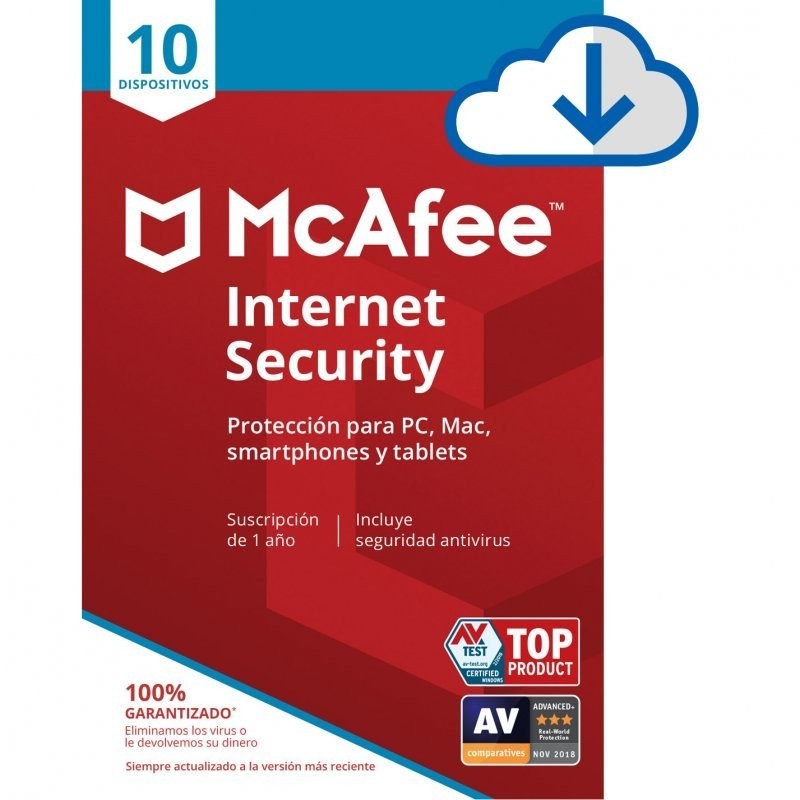

McAfee Internet Security: complete protection for 10 devices for 1 year. Real-time antivirus, firewall, web protection, password manager and performance optimisation. Compatible with Windows, Mac, Android and iOS. Protect your entire family or your office with a single licence.
Receive your official McAfee activation code by email instantly. Activate at mcafee.com and install on up to 10 devices. Price well below the official McAfee website.
Need Windows or Office too? See our Windows + Office bundles — up to 30% off.
Registered Spanish company with official invoice. Pay with M-Pesa, GoPay, OVO, FPX, bank transfer, card or PayPal.
McAfee Internet Security is a comprehensive security suite that protects up to 10 devices for 1 year. It includes antivirus protection, privacy tools and performance optimisation features for your entire family or your team:
| Feature | What it does |
|---|---|
| Real-time antivirus | Automatically detects and removes viruses, malware, ransomware, spyware and trojans in real time |
| Smart firewall | Monitors and filters incoming and outgoing network traffic. Blocks suspicious connections without disrupting your activity |
| Web protection (WebAdvisor) | Blocks dangerous websites, phishing attempts and malicious downloads. Warns you before you visit risky pages |
| Password manager (True Key) | Securely stores and auto-fills your passwords with AES-256 encryption. Access with fingerprint or facial recognition |
| Anti-spam protection | Filters unwanted and suspicious emails before they reach your inbox |
| Performance optimisation | Scans and cleans temporary files, cookies and unnecessary processes to speed up your computer |
| Multi-device protection | Install on up to 10 devices: Windows PCs, Macs, Android phones and iPhones/iPads with a single subscription |
| Secure home network | Scans your Wi-Fi network to detect unauthorised devices and vulnerabilities in your connection |
McAfee Internet Security protects up to 10 devices of any type with a single subscription. You can freely combine PCs, Macs, phones and tablets:
| Platform | Compatible | Key features |
|---|---|---|
| Windows | YES | Full suite: antivirus, firewall, WebAdvisor, password manager, anti-spam, optimisation |
| macOS | YES | Antivirus, web protection, firewall |
| Android | YES | Antivirus, anti-theft, app lock, Wi-Fi scanner |
| iOS (iPhone/iPad) | YES | Web protection, Wi-Fi scanner, password manager |
Not sure which antivirus to choose? Here is a direct comparison between McAfee Internet Security and the most popular alternatives:
| Feature | McAfee Internet Security | Norton 360 | Windows Defender |
|---|---|---|---|
| Real-time antivirus | YES | YES | YES |
| Dedicated firewall | YES | YES | Basic (Windows Firewall) |
| Password manager | YES (True Key) | YES | NO |
| Web protection (anti-phishing) | YES (WebAdvisor) | YES | Edge only (SmartScreen) |
| Performance optimisation | YES | NO | NO |
| Anti-spam (email) | YES | NO | NO |
| Devices included | 10 devices | 1–5 (depending on plan) | Windows only |
| Mac, Android, iOS | YES | YES | NO (Windows only) |
| VPN included | NO (available in Total Protection) | YES | NO |
| Cost | Low price in our shop | Higher price | Free (included with Windows) |
| Platform | Minimum requirements |
|---|---|
| Windows | Windows 10 or Windows 11 (32/64-bit). 2 GB RAM. 500 MB disk space. Internet connection |
| macOS | macOS 10.15 (Catalina) or later. 2 GB RAM. 500 MB disk space |
| Android | Android 8 or later. Available from Google Play Store |
| iOS | iOS 15 or later. Available from the App Store |
| Supported browsers | Chrome, Firefox, Edge, Safari (for the WebAdvisor extension) |
Add McAfee Internet Security to your cart, complete payment and receive your official McAfee activation code by email within minutes. We accept credit/debit cards and PayPal worldwide. We also accept local payment methods in 30+ countries: M-Pesa and Airtel Money in Kenya, GoPay, OVO, DANA, bank transfer and virtual account in Indonesia, FPX online banking and e-wallets in Malaysia, bank transfer and cards in Nigeria, and card or PayPal in the United Kingdom.
Go to mcafee.com/activate, sign in or create a free McAfee account and enter your activation code. Your 1-year subscription activates immediately.
From your McAfee account, download and install protection on each of your devices: Windows PC, Mac, Android phone or iPhone/iPad. You can install on up to 10 devices with the same account. Each device is automatically protected for the entire year of your subscription.
McAfee protects your devices. Make sure you also have an up-to-date operating system and office suite:
| Product | What it is | Benefit |
|---|---|---|
| Windows 11 Pro + Office 2024 bundle | Operating system + office suite in a single bundle | Up to 30% cheaper than buying separately |
| Windows 11 Pro | The latest Microsoft operating system | Perpetual licence, one-time payment |
| Office 2024 Professional Plus | Word, Excel, PowerPoint, Outlook and more with a perpetual licence | No subscription, yours for ever |
IT departments and businesses: McAfee Internet Security with 10 devices is a cost-effective option for protecting workstations and your team's mobile devices. Official invoice included for your records.
Internet Security includes antivirus, firewall, web protection, password manager, anti-spam and performance optimisation for up to 10 devices. Total Protection adds unlimited VPN and identity protection. If you do not need a VPN, Internet Security offers the same antivirus and security protection at a lower price.
Yes. McAfee Internet Security is multi-platform. You can install on up to 10 devices, freely combining Windows PCs, Macs, Android phones and iPhones/iPads. Features vary by platform: the full suite is available on Windows, while Mac, Android and iOS have adapted feature sets.
The subscription lasts 1 year from the moment you activate it at mcafee.com/activate. During that year you receive automatic virus database updates and full access to all security features. You can renew when the year ends.
Yes. You receive an official McAfee activation code that is redeemed directly at mcafee.com/activate. McAfee recognises the activation and provides full access to all features and updates for 1 year.
Yes, it is recommended. Running two antivirus programmes simultaneously can cause conflicts and slow down your computer. Uninstall your current antivirus first, then install McAfee Internet Security. Windows Defender deactivates automatically when McAfee is installed.
McAfee Internet Security is optimised for minimal performance impact. It also includes optimisation tools that clean temporary files and unnecessary processes, which can actually improve your computer's overall speed.
No. The licence you purchase from our shop does not have auto-renewal. When the year expires, you can buy another licence if you wish to continue your protection. No automatic charges will be made to your card.
Yes. We accept local payment methods in 30+ countries. In Kenya you can pay with M-Pesa, Airtel Money or card (KES). In Nigeria with bank transfer or card (NGN). In Indonesia with GoPay, OVO, DANA, bank transfer or virtual account (IDR). In Malaysia with FPX online banking, e-wallets or card (MYR). In the United Kingdom with credit/debit card or PayPal (GBP). Prices are shown in your local currency automatically.
There is no physical shipment needed. McAfee Internet Security is delivered digitally — you receive the activation code by email within minutes of payment confirmation. UK customers pay in GBP with credit/debit card or PayPal.
Yes. For IT companies, computer shops and resellers we offer discounts of up to 30% across our entire catalogue, including antivirus. Available to resellers worldwide. Register at distribuidores.latiendadelaslicencias.com.
Specific References
McAfee Internet Security: complete protection for 10 devices for 1 year. Real-time antivirus, firewall, web protection, password manager and performance optimisation. Compatible with Windows, Mac, Android and iOS. Protect your entire family or your office with a single licence.
Receive your official McAfee activation code by email instantly. Activate at mcafee.com and install on up to 10 devices. Price well below the official McAfee website.
Need Windows or Office too? See our Windows + Office bundles — up to 30% off.
Registered Spanish company with official invoice. Pay with M-Pesa, GoPay, OVO, FPX, bank transfer, card or PayPal.