


 WINDOWS
 Office
 Windows Server
 Antivirus
 Utilities
 Professional Software
 PACKS
 Plantillas Excel
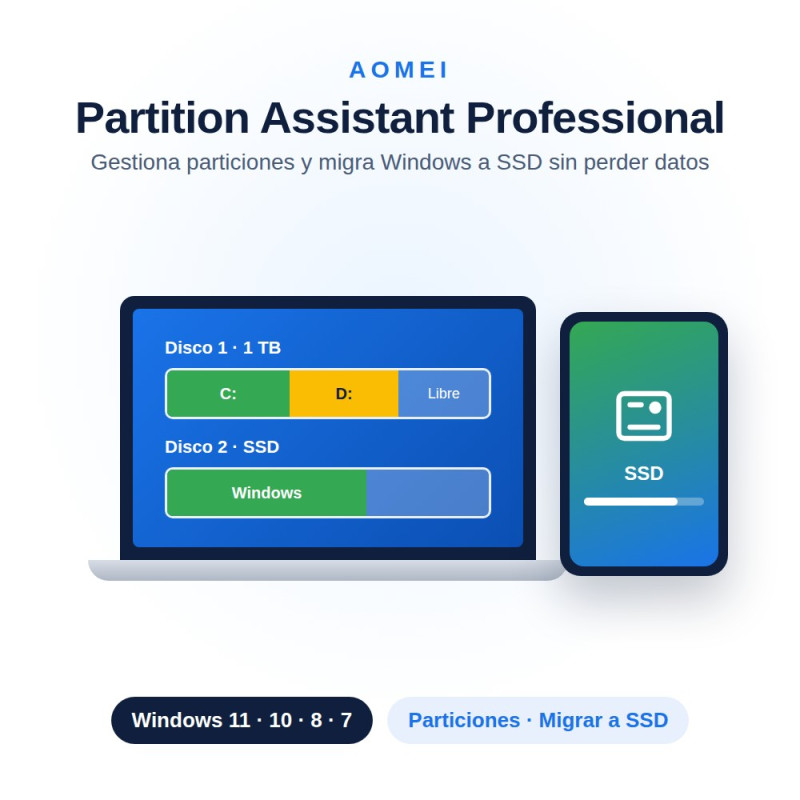
License of AOMEI Partition Assistant Professional: get your original product key by email instantly to resize, move, merge and clone partitions and disks on Windows. Available for 1 or 2 PCs, annual or lifetime.
Choose duration and devicesInstant delivery by emailOne-time or annual payment
La Tienda de las Licencias · Spanish company · Legal license under CJEU ruling C-128/11 · EUR, ARS, MXN, CLP, PEN, COP, USD.
AOMEI Partition Assistant Professional is the partition and disk manager for Windows that lets you resize, move, merge and convert partitions without losing data, clone your disk to a new one or to an SSD, convert between MBR and GPT, and clean and optimize your PC's performance, all from a single program.
| Resize and move partitions | Adjusts the size of your partitions without losing data, reallocating free space between them. |
| Merge partitions | Combines several partitions into a single larger one. |
| Create, delete and format partitions | Basic partition management operations from a visual interface. |
| Check and repair partitions | Detects and fixes errors in the partition's file system. |
| 4K partition alignment | Optimizes disk performance by aligning the partition to 4K sectors. |
| Migrate the operating system | Clones and moves Windows to a new drive, for example an SSD, without reinstalling anything. |
| Full disk cloning | Duplicates an entire disk, including the operating system and installed programs. |
| MBR to GPT conversion | Converts the disk's partition style without losing data. |
| NTFS / FAT32 conversion | Changes a partition's file system. |
| PC cleaner | Detects and removes junk files to free up space. |
| Large and duplicate file finder | Automatically locates unnecessary or duplicate files taking up space. |
| Disk space analyzer | Identifies which files and folders take up the most space. |
| Disk speed and surface test | Checks read/write speed and detects damaged sectors. |
| Secure SSD erase | Safely restores an SSD to its factory state. |
| Number of licenses | Professional: 2 PCs | Server: 2 servers | Unlimited: Unlimited PCs and servers |
| Operating systems | Windows 11 / 10 / 8.1 / 8 / 7 / 7 SP1 | Same, plus Windows Server 2025 / 2022 / 2019 / 2016 / 2012 | Same as Server |
| Portable version | No | No | Yes |
| Unlimited business use | No | No | Yes |
| Operating system | Windows 11, Windows 10, Windows 8.1, Windows 8, Windows 7 and Windows 7 SP1 |
| Supported disks | HDD, SSD and SSHD, external USB 1.0/2.0/3.0 drives, PC cards and USB flash drives |
| Hardware RAID | Compatible with RAID 0, 1, 5 and 10 |
| Disk size and count | MBR and GPT disks up to 16 TB or more, up to 128 disks on a single system |
| File systems | NTFS, FAT32/FAT16/FAT12, exFAT, ReFS, Ext2/Ext3/Ext4 and BitLocker-encrypted partitions |
| Boot | Compatible with UEFI/EFI |
Step 1: Purchase and receive your license key
You receive your original product key by email instantly after completing payment.
Step 2: Download the installer
Download AOMEI Partition Assistant from the manufacturer's official website.
Step 3: Install the program
Install AOMEI Partition Assistant on your PC following the installation wizard.
Step 4: Activate your license
Enter your product key to unlock all Pro features.
This listing includes every combination of AOMEI Partition Assistant Professional: choose the duration above (1 year or lifetime) and the number of devices (1 PC or 2 PCs) you need, and the price updates automatically according to the combination you pick. If you need to manage a server or unlimited business machines, check out the Server, Unlimited or Technician editions.
Is it legal to buy this license?
Yes. The Court of Justice of the EU ruling (case C-128/11, UsedSoft vs. Oracle, July 2012) establishes that reselling software licenses is legal in the EU, as long as the first buyer has deactivated their copy. La Tienda de las Licencias is a registered Spanish company that issues an official invoice and offers a lifetime warranty.
Is a partitioning program worth it over Windows Disk Management?
Windows Disk Management includes basic functions, but a specialized program like AOMEI Partition Assistant lets you resize, move, merge and split partitions with more options and, generally, more safely and easily, especially when working with unallocated space.
How do I extend drive C: using free space from another partition?
First back up your important data. Then shrink another partition (for example D:) to generate unallocated space next to C:. With AOMEI Partition Assistant you can do this more easily than with Windows' native Disk Management.
Can a disk be converted from MBR to GPT without losing data?
Yes. AOMEI Partition Assistant lets you convert MBR to GPT without data loss, with more flexibility than the MBR2GPT tool included in Windows 10 and later. It's recommended to back up beforehand and check that the computer supports UEFI boot.
How do I free up space on a partition?
Besides manual cleanup, AOMEI Partition Assistant includes a PC cleaner that detects and removes junk files, large temporary files and duplicates, and lets you resize partitions in just a few clicks.
Are you an IT company, computer store or reseller? Get exclusive discounts across our entire catalog. Available for distributors in Spain and Latin America. Request access to the distributor program
Specific References
License of AOMEI Partition Assistant Professional: get your original product key by email instantly to resize, move, merge and clone partitions and disks on Windows. Available for 1 or 2 PCs, annual or lifetime.
Choose duration and devicesInstant delivery by emailOne-time or annual payment
La Tienda de las Licencias · Spanish company · Legal license under CJEU ruling C-128/11 · EUR, ARS, MXN, CLP, PEN, COP, USD.